Best WiFi 7 Router 2026: Top 5 Compared + EU Prices
The five best WiFi 7 routers of 2026 compared on speed, coverage, MLO and price. For fibre connections from 1Gbps up to 10Gbps.
Top producten vergelijken

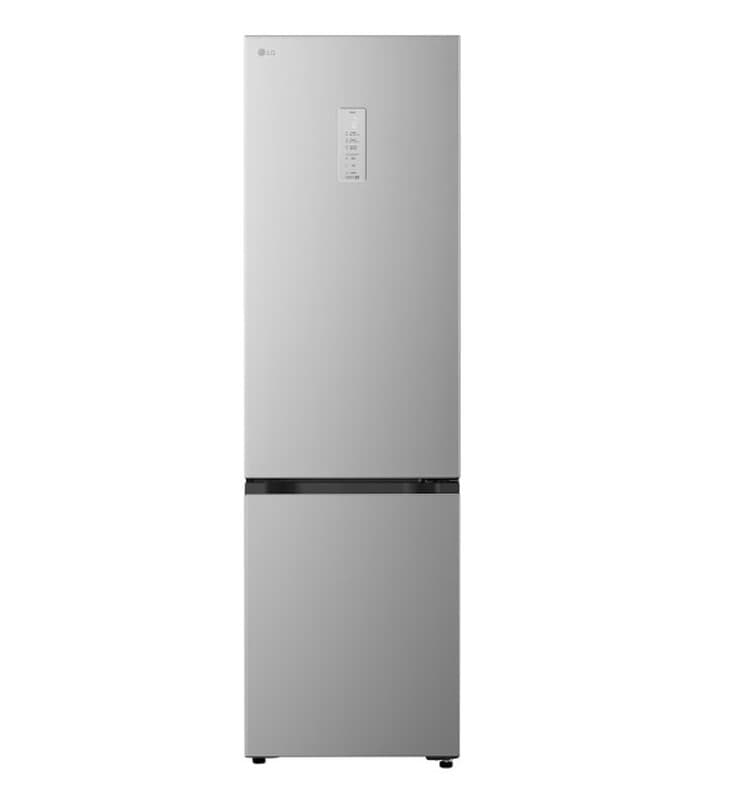
LG GBBS525CPY Koel-vriescombinatie 375L - Zilver - Energieklasse C - DoorCooling voor gelijkmatige koeling - Fresh Balancer voor optimale versheid - Stille Smart Inverter Compressor - AI functies zonder wifi - ThinQ wifi bediening

LG GBBS726CEV Koel-vriescombinatie 375L - Zwart - Energieklasse C - DoorCooling voor gelijkmatige koeling - Fresh Balancer voor optimale versheid - Stille Smart Inverter Compressor en ThinQ wifi bediening

MotionBlinds WiFi Bridge
The five best WiFi 7 routers of 2026 compared on speed, coverage, MLO and price. For fibre connections from 1Gbps up to 10Gbps.
WiFi 7 (IEEE 802.11be) delivers up to 46 Gbps theoretical, 320MHz channels on 6GHz, and Multi-Link Operation (MLO) letting a device transmit on 2.4 + 5 + 6GHz at once. In 2026 the first WiFi 7 routers are mature and prices have normalised. We compare five models stocked in the Netherlands at Coolblue, Bol and MediaMarkt.
How we compare
Ranking uses throughput data from SmallNetBuilder and Dong Knows Tech plus AnandTech chipset analysis. Criteria: 6GHz peak throughput (Gbps range), MLO implementation, WAN port (2.5G/5G/10G), LAN ports, mesh expandability, price.
ASUS RT-BE96U — Best overall (€500-€600)
TL;DR: Tri-band WiFi 7 with BE19000 rating (claimed 19 Gbps aggregate). 10G WAN/LAN combo port, AiMesh for expansion with other ASUS routers, lifetime AiProtection security.
For whom: buyers with 2.5Gbps+ fibre, gamers, smart homes with 50+ devices.
Standouts: 320MHz channels on 6GHz, MLO across 5+6GHz, USB 3.2 for network storage. ASUS Router app is among the most polished. Dong Knows Tech calls the tri-band 6GHz "best in class for sustained throughput".
Downsides: large footprint (bigger than A4), 8 visible antennas — visually dominant. Top of budget.
TP-Link Archer BE800 — Best price/specs (€450-€550)
TL;DR: Tri-band BE19000, 10G WAN + 10G LAN, built-in touchscreen display for network stats. €100-€150 under ASUS RT-BE96U with comparable specs.
For whom: buyers seeking maximum specs per euro. Fibre subscribers at 2.5-10Gbps.
Standouts: Tether app is intuitive, HomeShield built-in security, EasyMesh-compatible (open mesh standard, not TP-Link only).
Downsides: TP-Link firmware updates ship slower than ASUS, earlier AX models had security issues (BE800 none reported yet).
Netgear Nighthawk RS700S — Best software + parental controls (€600-€700)
TL;DR: Tri-band BE19000 with Netgear Armor (Bitdefender) and Smart Parental Controls as premium features (partly paid subscription).
For whom: families with children, buyers wanting parental controls + security in one package.
Standouts: 10G WAN, four 1G LAN + one 10G LAN, Orbi mesh-compatible. Refined QoS.
Downsides: Netgear Armor and Smart Parental Controls require subscription after trial (€60-€100 yearly range). Highest price in this five.
ASUS ROG Rapture GT-BE98 — Best gaming (€700-€800)
TL;DR: Quad-band (two 5GHz + 6GHz + 2.4GHz) BE25000, dual 10G WAN/LAN, gaming-oriented firmware with Game Boost and latency prioritisation.
For whom: competitive gamers, streamers, low-latency twitch/youtube broadcasters.
Standouts: WTFast game accelerator included, RGB lighting (love it or hate it), 13 antennas.
Downsides: overkill for non-gamers, high idle draw (15-25W range), price.
TP-Link Archer BE3600 — Best budget WiFi 7 (€180-€220)
TL;DR: Dual-band (5 + 6GHz, no native MLO on 2.4GHz) BE3600 rating, 2.5G WAN/LAN. Entry-level WiFi 7 for buyers stepping up without a €500 budget.
For whom: buyers on 1Gbps fibre, small apartments (1-2 rooms), upgrade from WiFi 5/6.
Standouts: €200 for WiFi 7 was unthinkable two years ago. EasyMesh-compatible, HomeShield basic security free.
Downsides: dual-band (no tri-band — limited MLO benefit), 2.5G WAN so not 10Gbps future-proof.
Comparison table
| Model | Bands | WAN port | 10G LAN | BE rating | From price |
|---|---|---|---|---|---|
| ASUS RT-BE96U | Tri | 10G | 1× | BE19000 | €500 |
| TP-Link Archer BE800 | Tri | 10G | 1× | BE19000 | €450 |
| Netgear Nighthawk RS700S | Tri | 10G | 1× | BE19000 | €600 |
| ASUS ROG GT-BE98 | Quad | 10G ×2 | 2× | BE25000 | €700 |
| TP-Link Archer BE3600 | Dual | 2.5G | 0 | BE3600 | €180 |
How to pick a WiFi 7 router
1Gbps fibre: Archer BE3600 is enough. 2.5-10Gbps fibre: ASUS RT-BE96U or TP-Link BE800. Families with parental needs: Netgear RS700S. Gamers: ASUS ROG GT-BE98. For larger homes (100+ m²) consider mesh instead — see our mesh wifi guide 2026 or the broader router buying guide 2026.
What is MLO and when do you benefit?
Multi-Link Operation lets a WiFi 7 device talk across multiple bands simultaneously. Benefit: lower latency (range: 30-50% reduction) and higher effective throughput when one band is congested. Works only between WiFi 7 router AND WiFi 7 client — a WiFi 6E laptop doesn't benefit. The first WiFi 7 laptops (Dell XPS, Lenovo X1, Apple MacBook Pro M5) and phones (iPhone 17, Galaxy S25 Ultra) are on market in 2026.
EU warranty and retailers
Coolblue/Bol/MediaMarkt: 2 years EU statutory warranty. ASUS gives 2 years factory standard, TP-Link 3 years on routers, Netgear 1-2 years. Refurbished is rare in this category — better to buy new with full warranty.
FAQ
Do I really need WiFi 7 in 2026?
For 1Gbps fibre: no, WiFi 6E (Archer AXE75 €150 range) is enough. For 2.5-10Gbps fibre or many concurrent WiFi 7 devices: yes, WiFi 7 unlocks extra capacity and lower latency.
Will my WiFi 6 laptop work on a WiFi 7 router?
Yes, WiFi 7 is fully backwards-compatible. You only lose WiFi 7-specific benefits (MLO, 320MHz, 4096-QAM); standard WiFi 6 speeds remain.
How many devices can a WiFi 7 router handle?
Premium WiFi 7 routers support 100-200+ concurrent clients (range: ASUS/Netgear flagships). For most households (10-30 devices) plenty.
Is a gaming router really faster for gaming?
Pure throughput barely differs; gaming routers (ROG GT-BE98) offer better latency management under load via QoS and game-packet prioritisation. Casual gamers: no benefit. Competitive: yes.
Are there downsides to WiFi 7?
6GHz band has shorter range (50-70% of 5GHz at equal power). Routers are larger, power draw higher (10-25W range). For small apartments on 1Gbps often overkill.
Also read
Productvraag earns affiliate commission on purchases via our links. This does not affect our ranking. Prices indicative; check live at the store. Last updated: 2026-06-01.
Meer producten vergelijken
Got a question? Just ask.
We'll email you back within 24 hours. No sales pitch.