Beste WiFi-routers en mesh 2026
De beste WiFi 7-routers en mesh-systemen van 2026 vergeleken op prijs, bereik en prestaties voor elk huishouden.
Onze topkeuze
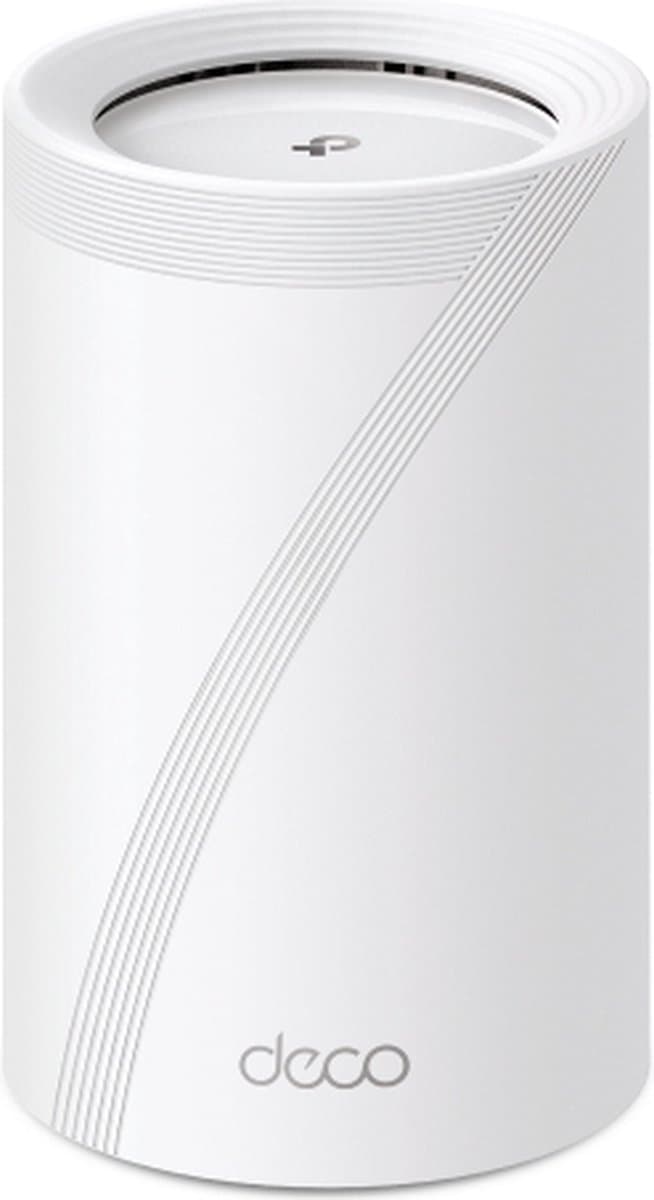
TP-Link Deco BE25
Beste algemeen
Vanaf
€ 123,00
bij Coolblue
Top producten vergelijken

De beste WiFi 7-routers en mesh-systemen van 2026 vergeleken op prijs, bereik en prestaties voor elk huishouden.
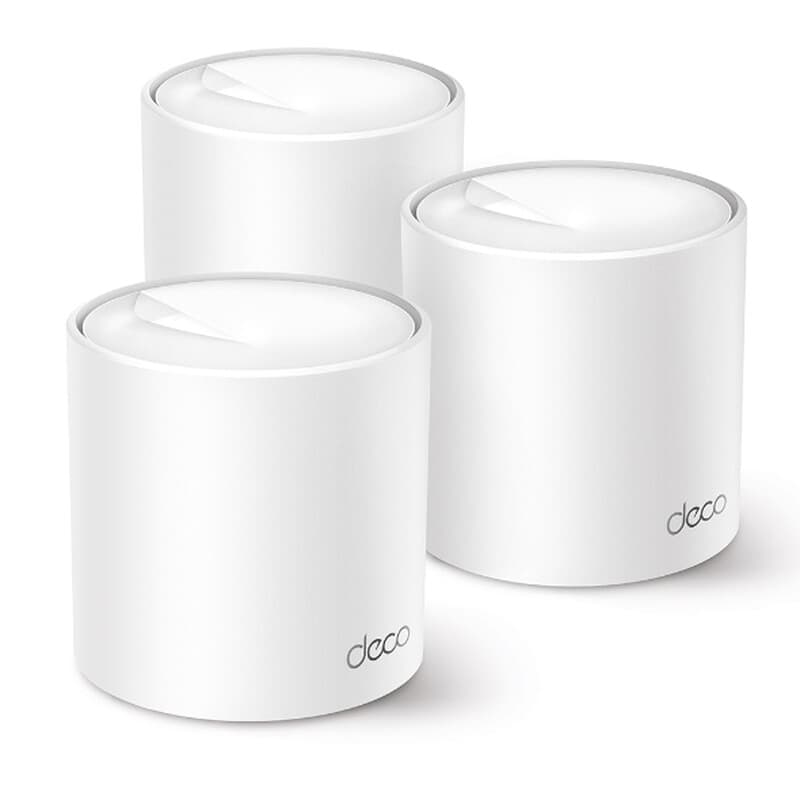
De TP-Link Deco BE25 (€109) is in 2026 de beste keuze voor de meeste Nederlandse huishoudens. Met WiFi 7-ondersteuning, mesh-geschiktheid en een prijs onder de €120 levert hij een combinatie van snelheid en eenvoud die duurdere modellen niet evenaren voor een doorsnee woning van 80-120 m². Het systeem werkt direct na installatie via de Deco-app en schakelt naadloos om als mesh wanneer je een tweede unit toevoegt. Deze gids vergelijkt vier modellen uit de categorie Netwerk & WiFi op productvraag.nl — van budget-mesh tot krachtige single-unit routers — en legt uit waar je op moet letten bij dekkingsoppervlak, WiFi-generatie, backhaul en beheer.
TP-Link Deco BE25 — Beste algemeen (€109-€115)
De Deco BE25 is de aanbevolen pick voor de meeste gebruikers in 2026. Het model ondersteunt WiFi 7 (BE3600) en werkt als standalone router of als mesh-knooppunt in een groter Deco-netwerk. Automatische bandsteering zorgt voor stabiele verbindingen op 2,4 GHz en 5 GHz: het apparaat kiest automatisch de meest geschikte band per apparaat. Geschikt voor woningen tot circa 150 m² als enkelvoudig apparaat. Via de Deco-app stel je in enkele minuten een gastnetwerk, ouderlijk toezicht of QoS in. Let op: de 2,5 Gbps WAN-poort benut je pas volledig met een glasvezelabonnement boven de 1 Gbps; op een doorsnee 500 Mbps-verbinding werkt ook een goedkoper model even snel.
Vergelijk prijzen — TP-Link Deco BE25
Meer van TP-Link · Prijzen gecontroleerd: 1 dagen geleden · 1 winkel
ASUS ZenWiFi BD4 2-pack — Beste mesh-systeem (€149-€154)
Voor wie een huis van meerdere verdiepingen wil dekken zonder dode hoeken is de ZenWiFi BD4 2-pack een logische stap. De twee knooppunten communiceren via een dedicated backhaul-band, waardoor de gebruikerssnelheid niet wordt gehalveerd bij doorschakeling. Gecombineerde dekkingsoppervlak: 250-300 m². De ASUS-app biedt geavanceerde opties zoals VLAN-segmentatie, een ingebouwde VPN-server en per-apparaat ouderlijk toezicht met tijdslimiet. Het systeem ondersteunt AiMesh, waarmee je later eenvoudig extra knooppunten van andere ASUS-modellen toevoegt. Nadeel: de eerste configuratie is complexer dan bij TP-Link Deco en het systeem is minder geschikt voor gebruikers die weinig affiniteit hebben met netwerkinstellingen.
Vergelijk prijzen — ASUS ZenWiFi BD4 2-pack
Meer van Asus · Prijzen gecontroleerd: 1 uur geleden · 2 winkels

bol
Op voorraad · Gratis verzending · Morgen in huis
TP-Link Deco BE65 Mesh 1-pack — Beste premium single-unit (€199-€226)
De BE65 stapt een klasse op ten opzichte van de BE25 met hogere maximale datasnelheden (BE7200, theoretisch tot 7,2 Gbps gecombineerd) en een robuustere quad-core processor voor huishoudens met 30 of meer gelijktijdige apparaten. Het model is ideaal voor mensen die thuis werken met videoconferenties terwijl tegelijkertijd anderen streamen of online gamen. De prijs varieert afhankelijk van aanbieder (€199-€226 gezien op productvraag.nl). Expandeerbaar naar een volledig Deco-mesh-systeem, maar voor een woning van één verdieping is een tweede unit zelden nodig.
Vergelijk prijzen — TP-Link Deco BE65 Mesh 1-pack
Meer van TP-Link · Prijzen gecontroleerd: 1 dagen geleden · 1 winkel
bol
Op voorraad · Gratis verzending · Morgen in huis
Acer Connect M6E 1GB — Beste voor mobiliteit (€229-€230)
De Acer Connect M6E is geen gewone thuisrouter maar een mobiele 5G-router met WiFi 6E (6 GHz-band beschikbaar). Relevant voor mensen die regelmatig werken op locaties zonder vaste internetverbinding — zoals vakantiehuisjes, klantlocaties of als noodback-up bij een storing van de vaste lijn. Voor vaste thuisopstelling zijn de Deco-modellen goedkoper in aanschaf.
Vergelijk prijzen — Acer Connect M6E 1GB
Meer van Acer · Prijzen gecontroleerd: 1 dagen geleden · 3 winkels


Coolblue
Op voorraad · Gratis verzending · Morgen in huis
bol
Op voorraad · Gratis verzending · Morgen in huis
Waar let je op bij het kiezen?
WiFi-generatie: 5, 6, 6E of 7?
WiFi 5 (802.11ac) is anno 2026 verouderd voor nieuwe aankopen. WiFi 6 (ax) is de minimumstandaard; WiFi 6E voegt het 6 GHz-band toe voor minder interferentie in drukke gebouwen. WiFi 7 (be) biedt Multi-Link Operation (MLO) waarmee een apparaat tegelijk op meerdere banden verbindt. Kies minimaal WiFi 6; WiFi 7 is toekomstbestendig maar vereist ook WiFi 7-eindapparaten om het verschil te merken.
Mesh vs. single router
Een single router volstaat voor woningen tot 100 m² zonder veel dragende muren. Een mesh-systeem — waarbij meerdere knooppunten het signaal doorgeven — lost dode hoeken op bij grote of gecompartimenteerde woningen. Cruciaal punt: kies een mesh met wired backhaul (ethernet tussen knooppunten) of een dedicated draadloze backhaul-band; systemen die de backhaul over dezelfde band sturen als het gebruikersverkeer halveren de effectieve snelheid.
Dekkingsoppervlak en aantal apparaten
Fabrikanten melden dekkingscijfers onder ideale omstandigheden. Hanteer als vuistregel: deel de opgegeven m² door 1,5 voor realistische verwachtingen in een normale woning. Een router voor 40 apparaten tegelijk (IoT, laptops, telefoons, tv's) heeft een betere MU-MIMO-implementatie nodig dan een model bedoeld voor 10 apparaten.
Beveiliging en firmware-updates
Een router is de toegangspoort tot je hele thuisnetwerk. Kies een fabrikant die actief firmware-updates uitbrengt — bij voorkeur minstens twee jaar na aankoopdatum. TP-Link en ASUS publiceren beide regelmatig beveiligingsupdates; controleer de releasedatum van de laatste firmware in productrecensies. Schakel automatische updates in en verander het standaard-beheerderswachtwoord direct na installatie.
Beheer en software
Apps als TP-Link Deco en ASUS Router bieden basisinstellingen via smartphone. Geavanceerd beheer (VLAN, WireGuard VPN, QoS per apparaat) is alleen beschikbaar op specifieke modellen. Controleer vóór aankoop of het firmware-updatebeleid van de fabrikant past bij je gewenste gebruiksduur van het apparaat.
Vergelijkingstabel netwerk-picks 2026
| Product | Prijsindicatie | WiFi-generatie | Sterkste punt |
|---|---|---|---|
| TP-Link Deco BE25 | €109 | WiFi 7 | Prijs-kwaliteit, eenvoudig mesh |
| ASUS ZenWiFi BD4 2-pack | €149-€154 | WiFi 7 | Dedicated backhaul, groot bereik |
| TP-Link Deco BE65 1-pack | €199-€226 | WiFi 7 | Hoge doorvoer, 30+ apparaten |
| Acer Connect M6E 1GB | €229-€230 | WiFi 6E + 5G | Mobiele 5G-verbinding |
Wat is het verschil tussen WiFi 6 en WiFi 7?
WiFi 7 (802.11be) voegt Multi-Link Operation (MLO) toe: apparaten verbinden tegelijk op meerdere frequentiebanden (2,4 GHz, 5 GHz én 6 GHz), wat de latentie verlaagt en de betrouwbaarheid verhoogt bij drukke netwerken. WiFi 6 ondersteunt dit niet en werkt op één band tegelijk. In de praktijk merk je het verschil pas met WiFi 7-eindapparaten; een WiFi 7-router is backward compatible, dus bestaande WiFi 5- en WiFi 6-apparaten werken gewoon verder tegen hun eigen maximumsnelheid.
Is een mesh-systeem altijd beter dan één krachtige router?
Niet per se. Een krachtige single-unit router presteert beter dan een goedkoop mesh-systeem vanwege lagere latency (geen extra hop) en geen backhaul-overhead die bandbreedte inpikt. Mesh is superieur bij meerdere verdiepingen, dikke betonnen muren of een totaal oppervlak boven 150 m². Heb je een compact appartement van één verdieping? Dan volstaat een goede single-unit router als de Deco BE25 of BE65 volledig, en bespaar je de meerprijs van een tweede knooppunt.
Hoeveel moet ik minimaal uitgeven voor een goede router in 2026?
Tussen €100 en €150 koop je in 2026 al een WiFi 7-router met solide prestaties voor een doorsnee huishouden met een internetabonnement tot 1 Gbps. Modellen onder de €80 zijn anno 2026 vaak WiFi 5 of beperkte WiFi 6-versies zonder mesh-mogelijkheid en zonder het 6 GHz-band. Boven de €250 betaal je voornamelijk voor enterprise-functies, grotere dekkingsgebieden of mobiele 5G-verbinding — voor thuisgebruik zijn de picks in deze gids voldoende.
Welke router is het best voor gaming?
Voor online gaming is lage latentie belangrijker dan ruwe downloadsnelheid. Kies een router met QoS (Quality of Service) waarmee je gamingverkeer prioriteit geeft boven streaming of downloads, en gebruik bij voorkeur een bekabelde ethernetverbinding vanuit je console of pc naar de router. De ASUS ZenWiFi BD4 en de TP-Link Deco BE65 bieden beide geavanceerde QoS-instellingen per apparaat; de Deco BE25 heeft basale bandprioriteit via de Deco-app. Draadloos gamen op WiFi 7 in 6 GHz-band is een acceptabel alternatief als bekabeling niet mogelijk is.
Meer producten vergelijken

Twijfel? Stel je vraag.
We mailen je binnen 24 uur een antwoord. Geen verkooppraat.