Best Gaming Monitor 2026: Top 7 Compared for PC, PS5 and Xbox
Top 7 gaming monitors 2026 compared: OLED, 4K, ultrawide and budget Mini-LED. Live EU prices at Bol, Coolblue, Megekko and Mediamarkt.
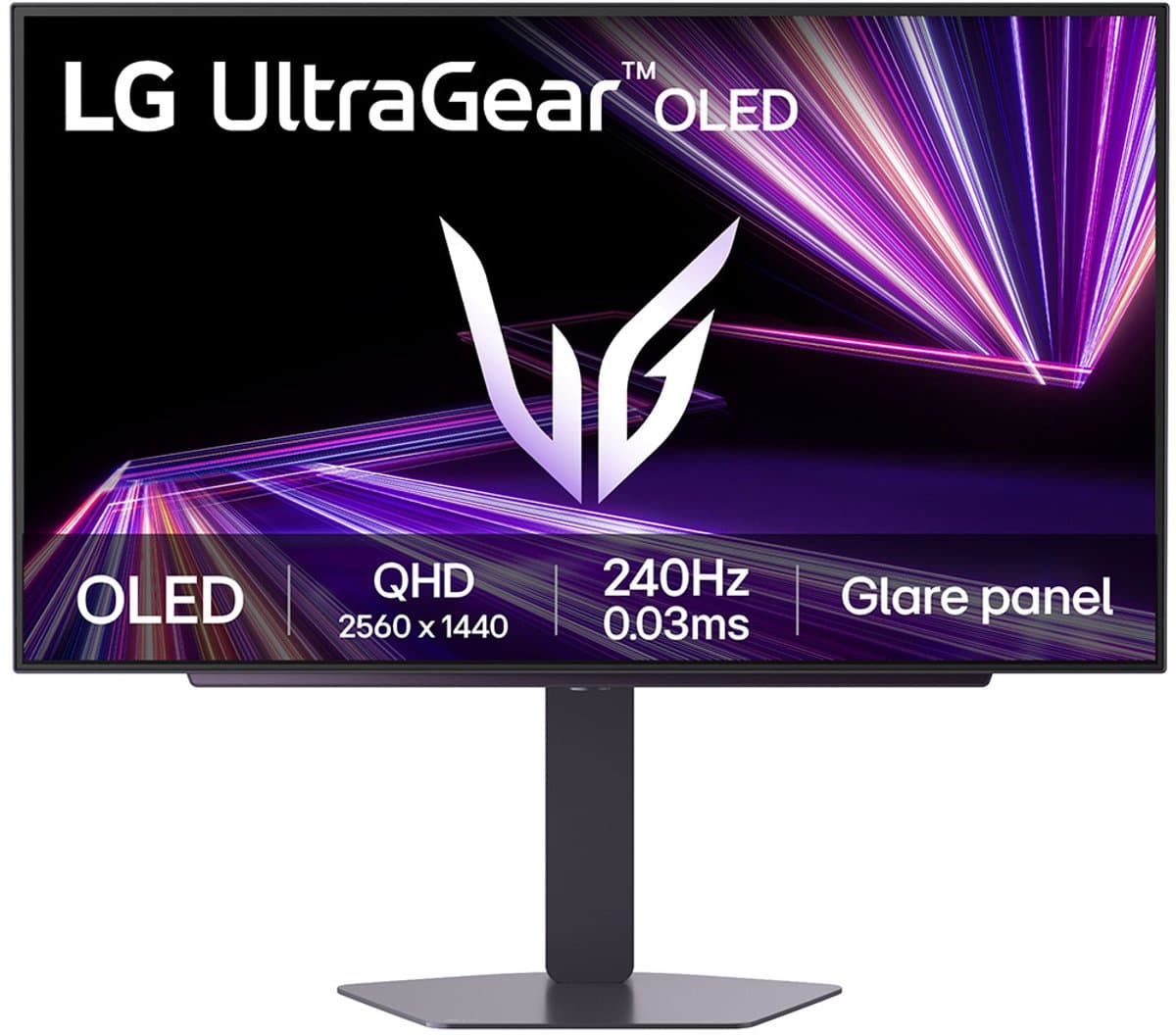
Our top pick
LG UltraGear 27GX704A-B WOLED
Best competitive
From
€ 399,00
at Joybuy
Top producten vergelijken


Top 7 gaming monitors 2026 compared: OLED, 4K, ultrawide and budget Mini-LED. Live EU prices at Bol, Coolblue, Megekko and Mediamarkt.
Quick picks: the best gaming monitors of 2026 at a glance
- Best competitive 240Hz+ OLED: LG UltraGear 27GX704A-B WOLED — ultra-high refresh, sub-millisecond response time, dual-mode 4K/1080p. From around €900 at Bol, Coolblue and Megekko.
- Best 4K dual-mode: MSI MAG 272UP QD-OLED X24 — 4K at around 240Hz or 1080p at around 480Hz, full HDMI 2.1 for PS5. From around €1000.
- Best immersive 4K QD-OLED: Samsung Odyssey OLED G8 (G80SD) — 32" QD-OLED with built-in smart functions. From around €850.
- Best budget Mini-LED: AOC Q27G3XMN — 1440p at around 180Hz, no burn-in worries, strong HDR. From around €280.
Looking for the best gaming monitor for 2026? We compared seven recent models from a European perspective, with current prices at Bol, Coolblue, Megekko and Mediamarkt, EU warranty and dead-pixel policies per retailer, plus honest who-it-is-for and who-it-is-not-for advice. No US-only retail stories, no 2023 models still listed as number one — only fresh releases and concrete picks for competitive shooter players, AAA single-player fans and console-PC hybrid setups.
Want a broader look at OLED tech for creative work, or a second screen on the go? Also see our best OLED monitor 2026 and best portable monitor 2026 guides, or head back to the best monitors 2026 hub.
How we rate gaming monitors
This buying guide combines our own multi-retailer price monitor with independent test data from rtings.com and tftcentral.co.uk. We rate the seven models on:
- Refresh rate and variable refresh rate — how G-Sync Compatible, FreeSync Premium Pro and frame-pacing behave during fast motion.
- Real-world response time — as reported by independent reviewers, not just the marketing number.
- Console compatibility — HDMI 2.1 4K at 120Hz for PS5 and Xbox Series X, VRR per input.
- Ergonomics — height adjustment, tilt, anti-flicker and TÜV low-blue-light certification for 4+ hour sessions.
- Price and stock at Bol, Coolblue, Megekko, Mediamarkt and Amazon NL/EU.
We earn affiliate commission through our links; this does not influence the ranking.
LG UltraGear 27GX704A-B WOLED — Best competitive (around €900-€1050)
TL;DR: The LG UltraGear 27GX704A-B is a sharp 2026 pick for competitive gamers. WOLED panel with dual-mode (4K around 240Hz or 1080p around 480Hz) and an extremely low response time under 1 ms. LG covers burn-in through OLED Care with a 2-year warranty.
Who it is for: Valorant, CS2, Apex and sim-racing players who want every millisecond. Less ideal for heavy productivity, since WOLED subpixels show slight color fringing around small text.
What stands out: Dual-mode lets you switch on the fly between 4K for atmosphere and 1080p for raw frame rate. G-Sync Compatible works flawlessly with RTX GPUs. HDMI 2.1 supports 4K at 120Hz for PS5 and Xbox Series X. The matte anti-glare coating makes open-office sessions bearable, and height adjustment is generous.
Drawbacks: Price sits near the top. WOLED subpixel layout shows subtle color edges around black text on white backgrounds — unnoticeable while gaming, mildly visible during long text-heavy workdays. Not the right pick if you want OLED + productivity; in that case, read our best OLED monitor 2026.
Compare prices — LG UltraGear 27GX704A-B WOLED
More from LG · Prices verified: 22 h ago · 3 shops


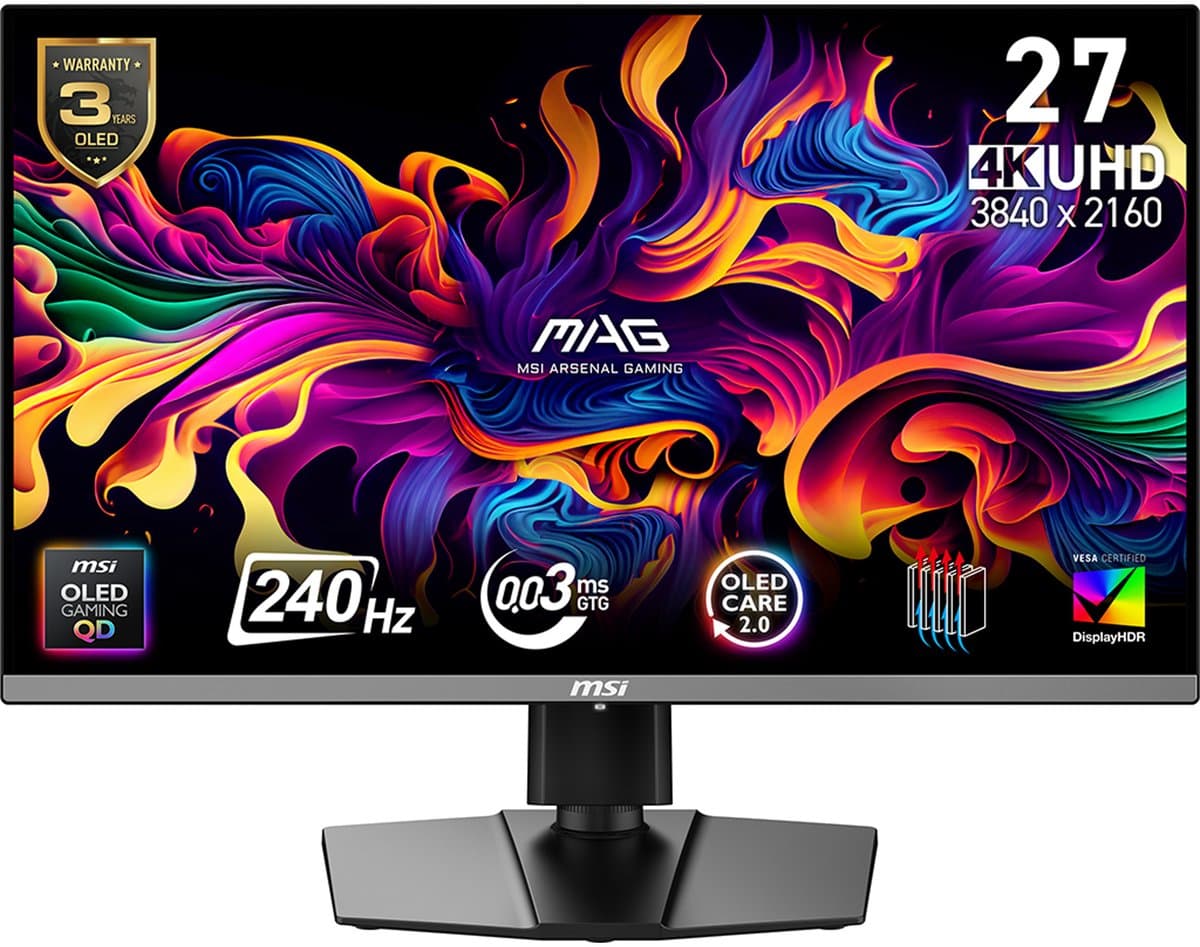
MSI MAG 272UP QD-OLED X24 — Best 4K dual-mode (around €1000-€1200)
TL;DR: The MSI MAG 272UP QD-OLED X24 is a versatile 4K gaming monitor for 2026. QD-OLED with dual-mode 4K at around 240Hz or 1080p at around 480Hz, full HDMI 2.1 on every input and 2 years of burn-in coverage as the baseline.
Who it is for: Gamers with a strong GPU (RTX 4080 or higher) who want both AAA single-player at 4K and competitive at 480Hz — and who regularly switch to PS5 or Xbox Series X.
What stands out: Dual-mode removes the resolution-vs-speed compromise; one button swaps the panel state. HDMI 2.1 delivers 4K at 120Hz with VRR for both consoles. Matte anti-glare keeps reflections under control near windows. Pixel-shift and panel-refresh routines run automatically to slow burn-in.
Drawbacks: The built-in speakers are thin. For the very highest HDR peak brightness, the Samsung G8 is the better bet.
Compare prices — MSI MAG 272UP QD-OLED X24 - UHD Gaming Monitor - 26.5 Inch - 240Hz - USB-C PD 15W
More from MSI · Prices verified: 22 h ago · 1 shop
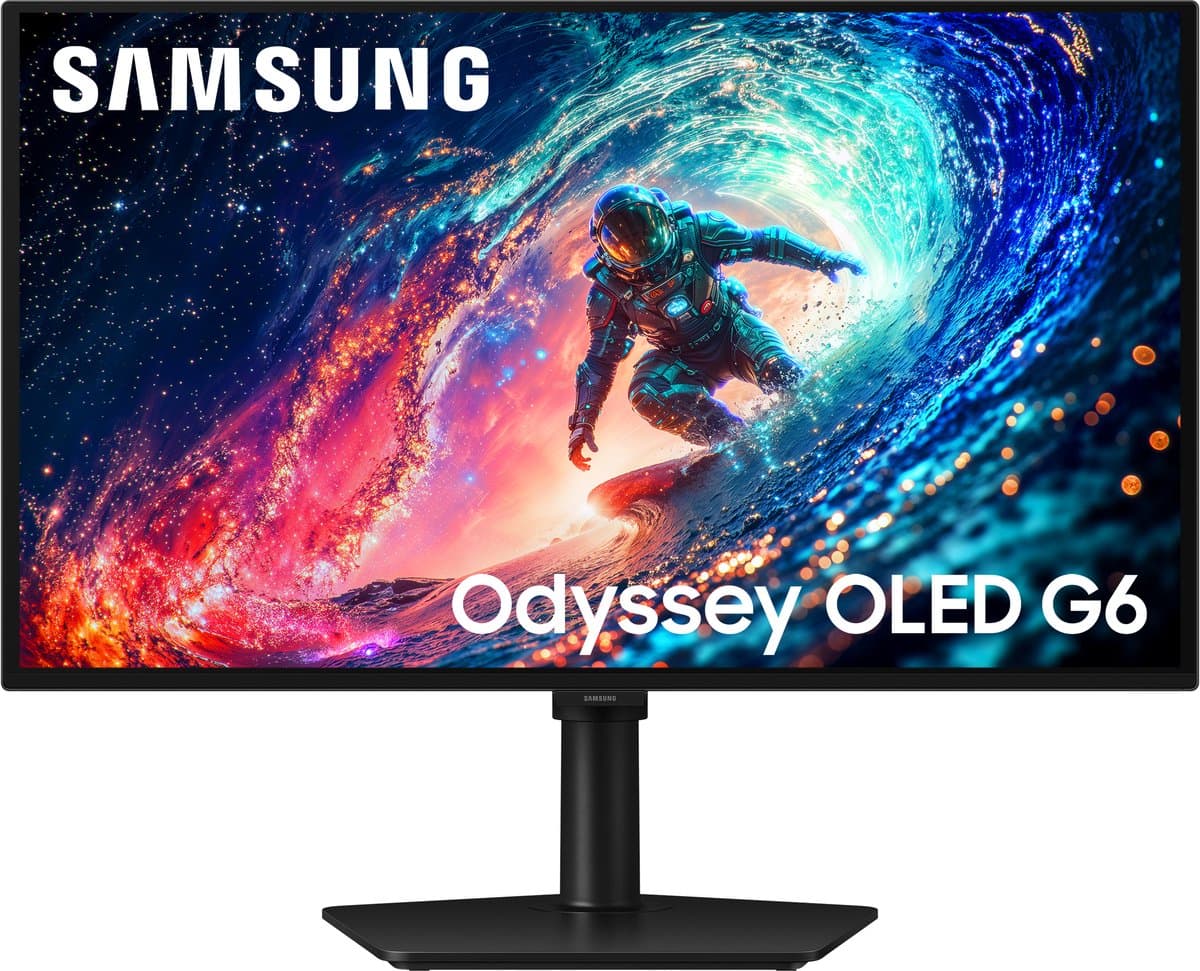
Samsung Odyssey OLED G8 (G80SD) — Best immersive 4K QD-OLED (around €850-€1000)
TL;DR: The Odyssey OLED G8 delivers 32" 4K QD-OLED with bright HDR, built-in smart functions (Tizen) and a price below the premium pack. A strong choice for high-impact single-player AAA games.
Who it is for: Players who value atmosphere and color over absolute timing. Cyberpunk 2077, Alan Wake 2, Final Fantasy VII Rebirth — this is where the panel shines. Also serviceable as a standalone media screen through Tizen apps.
What stands out: QD-OLED delivers higher peak brightness than WOLED, which is visible in HDR content. Smart Hub runs Netflix and YouTube with no PC or console attached — handy for a guest room or study. 240Hz refresh and sub-ms response also cover competitive use cases.
Drawbacks: Glossy coating reflects strongly in bright rooms. The stand is wide; measure desk space first. Tizen feels sluggish when switching sources. Samsung's burn-in coverage runs 2 years — narrower than ASUS or Dell.
Compare prices — Samsung 27" Odyssey OLED G61SH QHD 240Hz Gaming Monitor
More from Samsung · Prices verified: 23 h ago · 2 shops
MSI MPG 491CQP QD-OLED Curved — Best ultrawide-curved (around €1100-€1300)
TL;DR: The MSI MPG 491CQP QD-OLED Curved is a curved QD-OLED — ideal for sim-racing, flight sims and cinematic single-player. MSI offers three years of burn-in coverage.
Who it is for: Sim-racers (iRacing, Assetto Corsa Competizione), Microsoft Flight Simulator pilots and RPG players who want immersion. Not for color-critical creative work due to the curve.
What stands out: The curve pulls you into the picture for an immersive ultrawide feel. 240Hz refresh, sub-ms response and Dolby Vision support. Build quality feels premium and the OSD is clean.
Drawbacks: Glossy QD-OLED coating requires reflection management in a sunny office. No built-in KVM for MacBook hybrid workflows. Price is high, but the three-year coverage offsets OLED risk significantly.
Compare prices — MSI MPG 491CQP QD-OLED Curved
More from MSI · Prices verified: 22 h ago · 3 shops
MSI MAG 271QPX QD-OLED E2 — Best 1440p QD-OLED (around €500-€650)
TL;DR: The MSI MAG 271QPX QD-OLED E2 delivers 27" 1440p QD-OLED with around 240Hz refresh at a price well below LG and Samsung. Includes USB-C with around 65W power delivery — usable as a MacBook + gaming hybrid setup.
Who it is for: Gamers ready to step up to OLED without a €1000 budget. Pairs well with an RTX 4070-class GPU.
What stands out: QD-OLED color volume is excellent for the segment. USB-C with PD charges a 13" MacBook during work and switches straight to console or PC in the evening. MSI's OLED Care 3-year burn-in coverage sits between LG and Dell.
Drawbacks: Stand is functional but minimal — a VESA arm may be worth it. HDR brightness lower than 4K siblings (no FALD). No built-in speakers.
AOC Q27G3XMN — Best budget Mini-LED (around €280-€340)
TL;DR: The AOC Q27G3XMN is the strongest budget gaming monitor of 2026. 27" 1440p VA panel with Mini-LED backlight, refresh around 180Hz and HDR brightness that usually starts at €600+ — without OLED burn-in worries.
Who it is for: Budget-minded gamers who want HDR and don't want to worry about taskbar or HUD burn-in. Pairs well with an RTX 4060 or 4060 Ti system.
What stands out: Mini-LED with hundreds of local dimming zones delivers surprisingly good HDR for the price. VA panel produces deep blacks (less deep than OLED, well above IPS). FreeSync Premium Pro works smoothly with AMD and via G-Sync Compatible with RTX GPUs. Coolblue stocks this model with their 0-pixel premium guarantee — a welcome backstop on a budget buy.
Drawbacks: Response time under around 3 ms in practice; just above OLED, fine for 95% of gamers but not for competitive 240Hz+. Angle-dependent contrast shift typical for VA. No USB-C with power delivery.
Compare prices — AOC Q27G3XMN/BK
More from AOC · Prices verified: 22 h ago · 2 shops
Alienware AW2725Q — Best MacBook + PC combo (around €650-€800)
TL;DR: The Alienware AW2725Q combines 27" 1440p QD-OLED with around 360Hz refresh and USB-C with around 90W power delivery — a rare combination for MacBook remote workers who want to game on PC in the evening.
Who it is for: Apple users with an M3 or M4 MacBook as daily driver and a gaming PC for the evening. One cable charges and drives the MacBook; one HDMI cable handles the PC.
What stands out: QD-OLED delivers design-grade color for Figma and photo work. 360Hz refresh covers competitive use cases when you jump into Valorant or Apex. Dell's three-year burn-in coverage makes the combo less stressful.
Drawbacks: For pure PC gamers without a Mac this is overspecified — consider the MSI MAG 271QPX or the MSI MAG 272UP instead. Glossy coating requires reflection management.
Compare prices — Alienware AW2725QF - Dual Resolutie Gaming Monitor - 4K 180hz & Full HD 360hz - Dolby Atmos - 27 inch
More from Alienware · Prices verified: 22 h ago · 2 shops
Comparison table
| Model | Panel | Resolution | Refresh | Response (claimed) | HDR | USB-C PD | HDMI 2.1 | Burn-in warranty | From |
|---|---|---|---|---|---|---|---|---|---|
| LG UltraGear 27GX704A-B WOLED | WOLED | 4K / 1080p dual | around 240Hz / 480Hz | under 1 ms | True Black 400 | no | yes | 2 years | €900 |
| MSI MAG 272UP QD-OLED X24 | QD-OLED | 4K / 1080p dual | around 240Hz / 480Hz | under 1 ms | True Black 400 | no | yes | 2 years | €1000 |
| Samsung Odyssey OLED G8 G80SD | QD-OLED | 4K | around 240Hz | under 1 ms | True Black 400 | no | yes | 2 years | €850 |
| MSI MPG 491CQP QD-OLED Curved | QD-OLED curved | 4K | around 240Hz | under 1 ms | Dolby Vision | no | yes | 3 years | €1100 |
| MSI MAG 271QPX QD-OLED E2 | QD-OLED | 1440p | around 240Hz | under 1 ms | True Black 400 | around 65W | yes | 3 years | €500 |
| AOC Q27G3XMN | VA Mini-LED | 1440p | around 180Hz | under 3 ms | HDR 1000 | no | no | n/a (non-OLED) | €280 |
| Alienware AW2725Q | QD-OLED | 1440p | around 360Hz | under 1 ms | True Black 400 | around 90W | yes | 3 years | €650 |
How to choose the right gaming monitor
Four questions get you there fast:
- What do you play most? Competitive FPS benefits from high refresh and low response (LG UltraGear 27GX704A-B, Alienware AW2725Q). Cinematic AAA at 4K demands OLED and HDMI 2.1 (MSI MAG 272UP, Samsung Odyssey OLED G8). Sim-racing rewards a curved ultrawide-feel (MSI MPG 491CQP). Casual + console does not need more than a Mini-LED with HDMI 2.1.
- What GPU do you run? RTX 4060 / 4060 Ti pairs with 1440p up to 180Hz (AOC Q27G3XMN). RTX 4070 / 4070 Ti is the sweet spot for 1440p OLED 240Hz (MSI MAG 271QPX). RTX 4080 / 4090 finally makes 4K at 240Hz worthwhile (MSI MAG 272UP, MSI MPG 491CQP).
- Panel choice: OLED for maximum color and contrast, with burn-in mitigation in 2026 at an acceptable level. QD-OLED for extra HDR brightness. Mini-LED for HDR without burn-in concerns. IPS for tight budgets.
- Ergonomics and eye comfort: check height adjustment, tilt, anti-flicker and TÜV low-blue-light certification — at 8 hours+ per day this matters.
Pairing a gaming monitor with a new laptop? See our best gaming laptop 2026 guide. Want a second screen on the go? See best portable monitor 2026.
EU prices, warranty and dead-pixel policy — why this is different from US reviews
US top-list articles almost always link to one US retailer per pick (B&H, Newegg). For a Dutch or Belgian buyer that is unusable — shipping, warranty and VAT do not line up. More importantly: EU consumer law guarantees at least 2 years of statutory warranty regardless of manufacturer claims.
Dead-pixel policy per Dutch retailer:
- Coolblue — 0-pixel premium guarantee tier (small surcharge) on virtually all gaming monitors. Any dead pixel triggers an immediate swap.
- Bol — first-party Bol stock follows ISO 9241. On Bol Plaza marketplace the policy varies by seller — check before buying.
- Megekko — 0-pixel option for a roughly €10-€20 surcharge.
- Mediamarkt — ISO 9241 standard (a few subpixels allowed before return).
OLED burn-in warranty per brand:
- LG: 2 years OLED Care
- ASUS ROG OLED: 5 years (the most generous on the market)
- Dell Alienware: 3 years
- MSI: 3 years
- Samsung Odyssey OLED: 2 years
Refurbished is worth a look: Coolblue Refurb gaming monitors often sit 25-35% below new at grade A. Mediamarkt Outlet has limited stock but occasional sharp deals. Read refurbished buying tips for the check order.
Frequently asked questions
What is the difference between G-Sync, FreeSync and G-Sync Compatible?
G-Sync (Native) uses an NVIDIA module in the monitor and delivers the tightest synchronization, but increases the price. FreeSync is AMD's open standard. G-Sync Compatible is FreeSync that NVIDIA has certified as visually equivalent; in practice this is identical to Native G-Sync for 95% of gamers. Virtually every new gaming monitor on our list is G-Sync Compatible.
Is 1440p or 4K better for PS5 and Xbox Series X?
Both consoles output 4K at 120Hz over HDMI 2.1. A 4K monitor with HDMI 2.1 (such as the MSI MAG 272UP or MSI MPG 491CQP) uses that signal fully. A 1440p monitor downscales the 4K signal — works well but you leave resolution on the table. If you mainly play on console, choose 4K with HDMI 2.1.
Do you really need 240Hz or more?
For competitive FPS (Valorant, CS2, Apex), sensitive players notice the jump from 144Hz to 240Hz. Above 240Hz only pro-level players see the difference. For AAA single-player or casual gaming, 144-165Hz is plenty. Match refresh to your GPU: 480Hz only pays off if your frame rate gets there.
Should I worry about OLED burn-in in 2026?
Modern OLED panels run pixel-shift, panel-refresh and logo-dimming automatically. With a mix of gaming, Netflix and browsing, burn-in is rare inside the warranty window. Heavy static elements (taskbar 10+ hours a day, identical HUD) raise the risk. ASUS' 5-year coverage and Dell's 3-year coverage make the financial risk manageable.
What is response time and how low should it be?
Response time (GtG, grey-to-grey) is how fast a pixel changes color. OLED panels sit under 1 ms — sub-perceptible. IPS and VA sit at around 1-5 ms. Under 5 ms is invisible to most gamers. MPRT (motion picture response time) is a different number and not directly comparable; in spec sheets, look for the GtG figure.
HDMI 2.1 or DisplayPort 2.1 — which do I need?
For PC gaming, DisplayPort 1.4 or 2.1 matters little as long as your resolution + refresh fit the bandwidth. For PS5 and Xbox Series X, HDMI 2.1 is required to hit 4K at 120Hz with VRR. If you use both, check whether HDMI 2.1 works on every input (not only one of two).
How do I prevent eye strain during long sessions?
Choose a monitor with flicker-free certification, a built-in low-blue-light mode (TÜV-certified is the strongest signal), and set height so the top of the screen sits at or just below eye level. Use the 20-20-20 rule: every 20 minutes look at something 6 metres away for 20 seconds.
Can you buy a gaming monitor refurbished safely?
At Coolblue Refurb and Mediamarkt Outlet you can, with warranty intact. Avoid third-party refurb marketplace sellers without a clear warranty trail. On OLED models, verify whether the manufacturer warranty is still active (LG OLED Care attaches to first registration, not first sale).
Also read
- Best OLED monitor 2026 — for creative work, productivity and broader use
- Best portable monitor 2026 — a second screen on the go or for handheld gaming
- Best monitors 2026 hub — overview of every monitor category
- Best gaming laptop 2026 — pair with a gaming laptop
- Refurbished buying tips — save 20-35% on grade A
Meer producten vergelijken


Got a question? Just ask.
We'll email you back within 24 hours. No sales pitch.