Best OLED Monitor 2026: Top 6 for Gaming, Creative and Productivity
Top 6 OLED monitors 2026 reviewed for gaming, creative and productivity. QD-OLED vs WOLED explained. Live EU prices and burn-in warranty per brand.
Our top pick
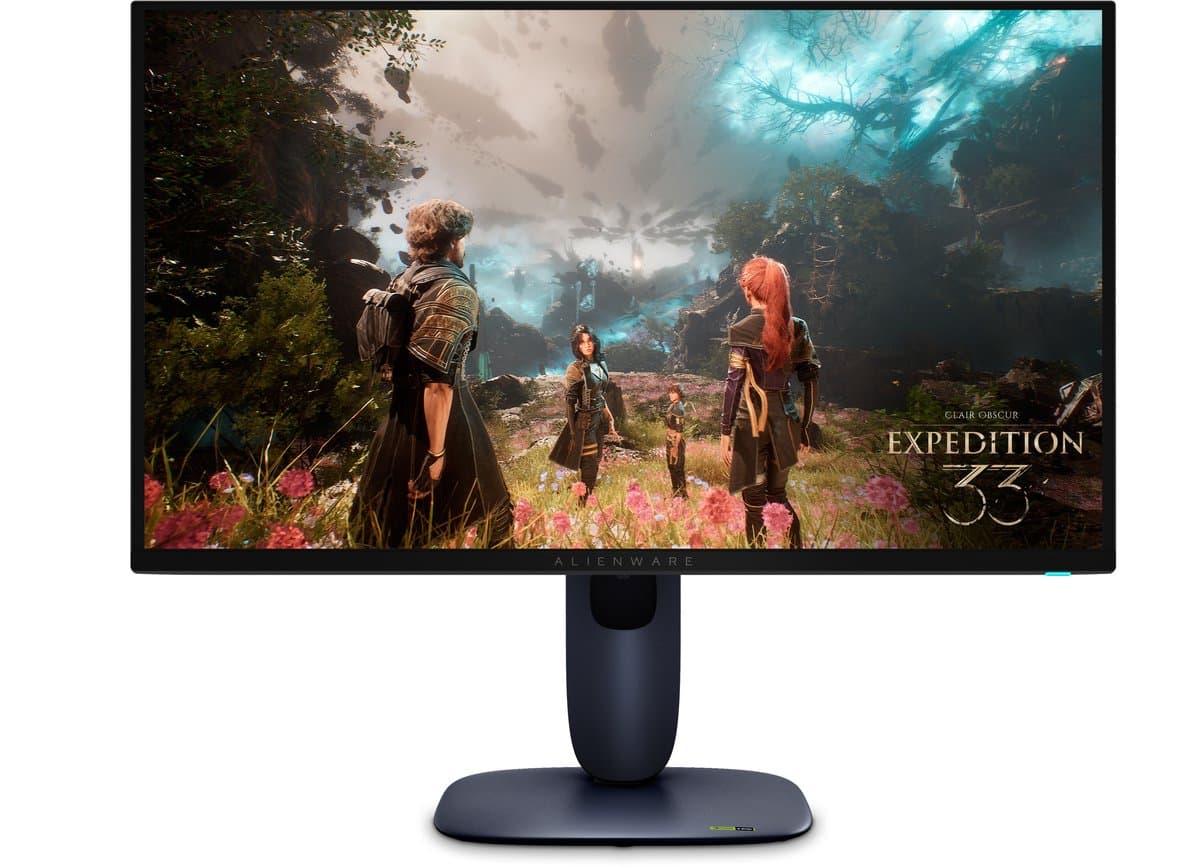
Alienware AW2725Q - 4K Ultra HD QD-OLED Gaming Monitor - 240Hz - 27 inch
Best overall 4K 32"
From
€ 608,00
at bol
Top producten vergelijken


Top 6 OLED monitors 2026 reviewed for gaming, creative and productivity. QD-OLED vs WOLED explained. Live EU prices and burn-in warranty per brand.
Quick picks: the best OLED monitors of 2026 at a glance
- Best overall 4K 32": Alienware AW2725Q — 4K QD-OLED with Dolby Vision, three-year burn-in warranty. From around €1100 at Bol, Coolblue and Megekko.
- Best creative + productivity: ASUS ProArt PA32UCDM — 4K QD-OLED, factory calibration with Calman Verified ΔE<2. From around €1800.
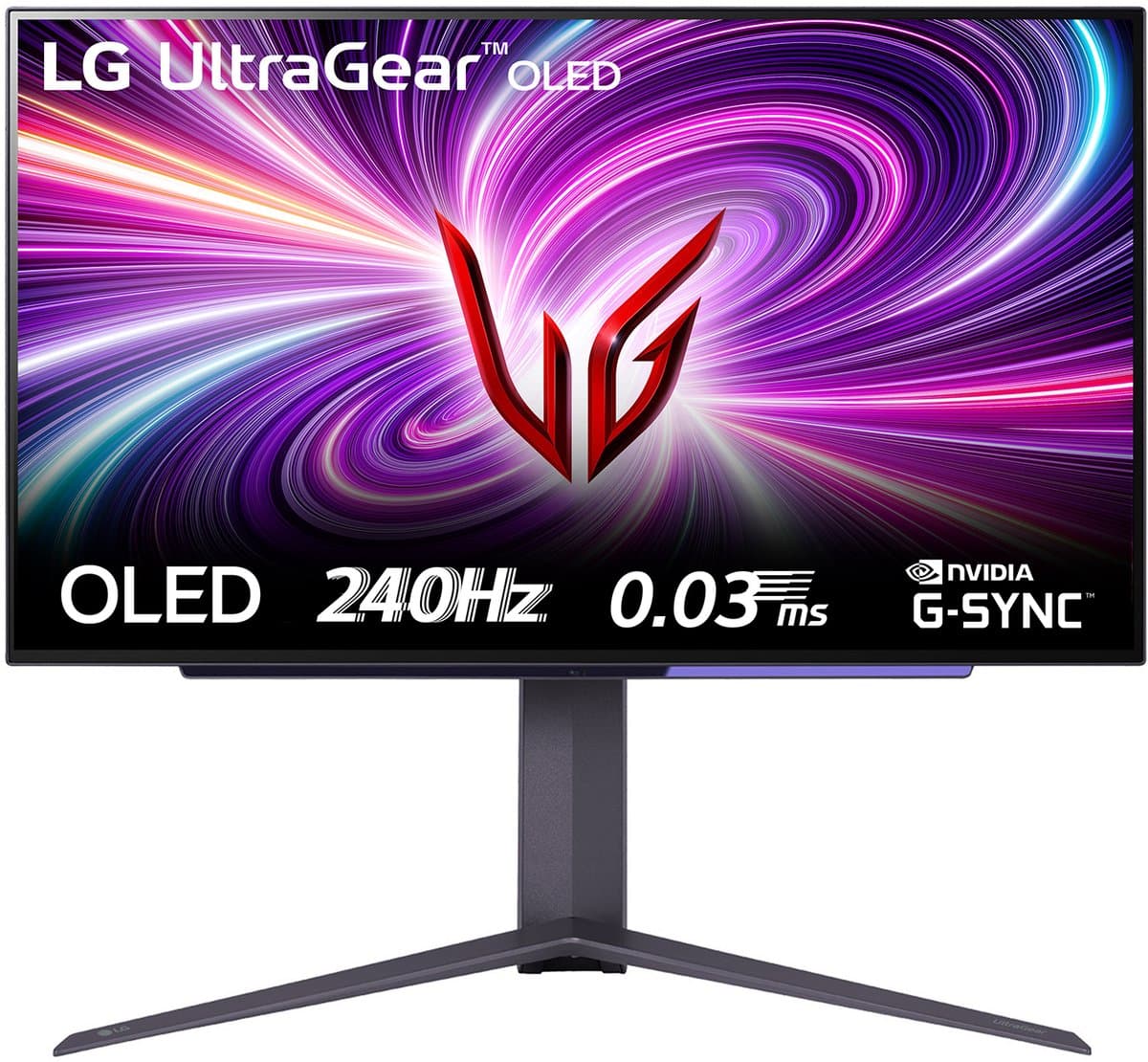
- Best 1440p value: LG UltraGear OLED 27GS95QE-B — 27" WOLED with matte coating, strong price. From around €650.
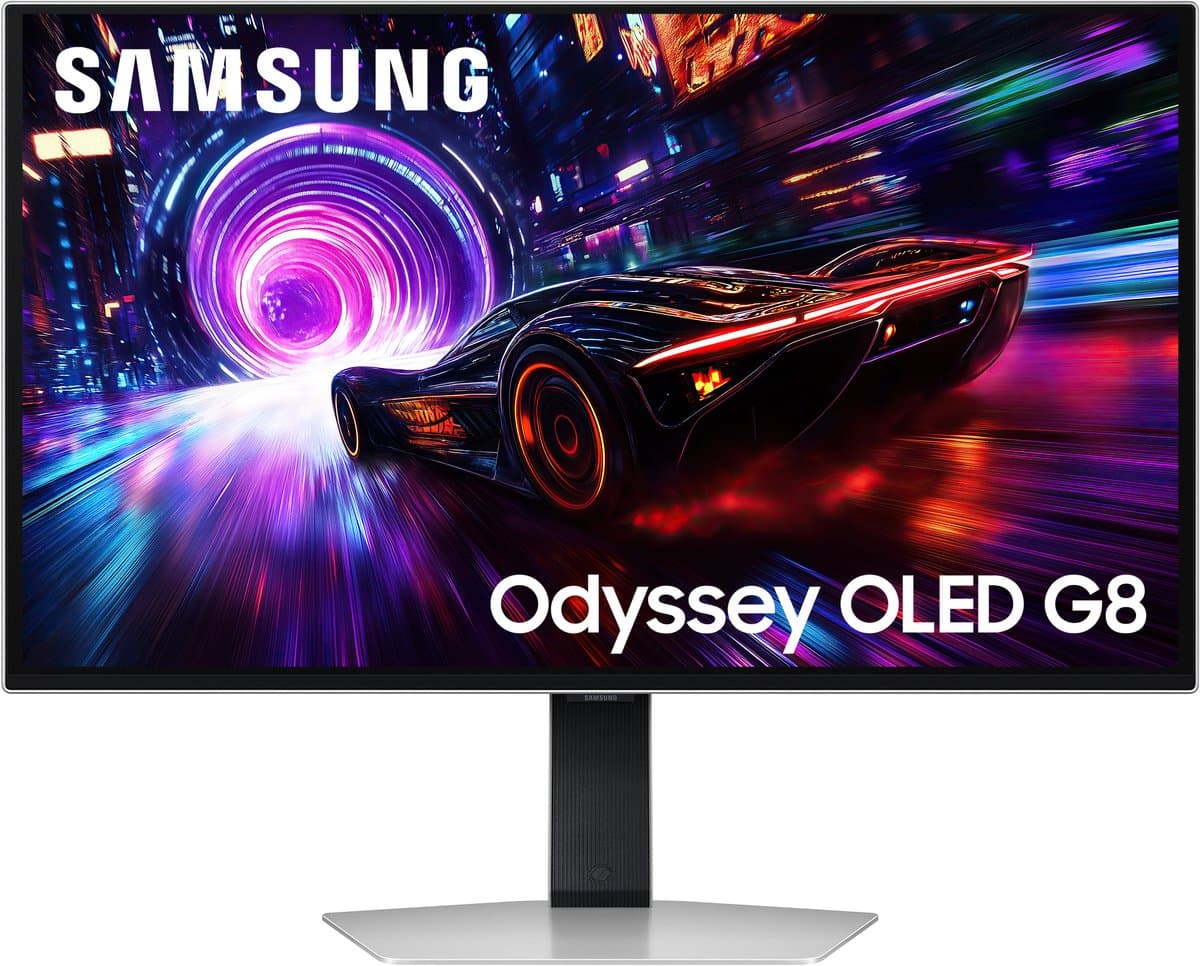
- Best ultrawide immersive: Samsung Odyssey OLED G9 (G93SD) — 49" 5K2K QD-OLED, dual-27" effect. From around €1500.
Looking for the best OLED monitor of 2026? We treat OLED more broadly than most lists: not only gaming, but also creative work (photo, video, color grading) and productivity (32" 4K as daily driver, KVM between MacBook and PC). The European angle: current EU prices, burn-in warranty per brand, dead-pixel policies per Dutch retailer, and an honest take on subpixel fringing on text — a topic no US review touches.
Is gaming the lead use case? See our focused best gaming monitor 2026 guide. Mostly need a second screen on the go? See best portable monitor 2026. For the broader picture: best monitors 2026 hub.
How we rate OLED monitors
This guide combines our multi-retailer price monitor with independent test data from tftcentral.co.uk and rtings.com. We rate the six models on:
- Color performance: DCI-P3 coverage, Adobe RGB coverage and ΔE in factory state and after calibration, as reported by tftcentral and rtings.
- Subpixel layout on text — how visible fringing is around black text on white.
- Contrast and ABL (auto brightness limiter) — how fast does luminance fall on large white fields?
- Burn-in risk — coverage by manufacturer warranty.
- HDR brightness in highlights and sustained fields.
- Ergonomics — height adjustment, tilt, anti-flicker, TÜV low-blue-light certification.
- Price and stock at Bol, Coolblue, Megekko, Mediamarkt and Amazon NL/EU.
We earn affiliate commission via our links; this does not influence the ranking.
WOLED vs QD-OLED vs PHOLED — which OLED tech fits you?
OLED is not a single technology. Three subtypes dominate the market in 2026:
- WOLED (LG Display): a white OLED layer with color filters and an RGBW subpixel layout. Advantage: matte coatings widely available, anti-glare for studios or sunny offices. Drawback: light color fringing around black text on a white background — visible during heavy text work.
- QD-OLED (Samsung Display): a blue OLED layer with quantum dots and a triangular subpixel layout. Advantage: higher peak brightness and larger color volume — ideal for HDR and color-critical creative work. Drawback: glossy coatings (reflection sensitive) and a distinct fringing pattern of its own.
- PHOLED (phosphorescent OLED): the next-generation blue phosphorescent OLED, 2-3x more efficient and longer lived. First consumer panels arrive late 2026 — no buying recommendation today, but worth knowing.
Per use case: gaming with mood and HDR → QD-OLED (Samsung G8/G9, Alienware AW2725Q). Color-critical creative in bright studios → matte WOLED. Productivity heavy on text → compare subpixel layouts in person or via 1:1 macro photos online before buying.
Alienware AW2725Q — Best overall 4K 32" (around €1100-€1300)
TL;DR: The Alienware AW2725Q is the strongest all-round OLED monitor of 2026. 32" 4K QD-OLED with Dolby Vision HDR, refresh around 240Hz, built-in audio and — critically — three years of burn-in coverage from Dell.
Who it is for: Versatile users: AAA gamer + remote worker + photo editor. Not for strict color-critical mastering due to the subtle 1700R curve, which can affect calibration off-axis.
What stands out: QD-OLED delivers high peak brightness in HDR highlights (Dolby Vision certified). DCI-P3 coverage sits comfortably above 99%. Dell's three-year coverage beats LG (2 years) and matches the heavier ASUS ROG line. Anti-reflection coating tames glare. HDMI 2.1 on every input plus DisplayPort 1.4. One USB-C input with around 90W power delivery for MacBook remote work.
Drawbacks: 1700R curve complicates on-axis color grading — for pure mastering choose the MSI 321URX (flat). Built-in KVM is minimal. Price is high, but the three-year cover helps absorb OLED risk.
Compare prices — Alienware AW2725Q - 4K Ultra HD QD-OLED Gaming Monitor - 240Hz - 27 inch
More from Alienware · Prices verified: 22 h ago · 1 shop

ASUS ProArt PA32UCDM — Best creative + productivity (around €1800-€2200)
TL;DR: The ASUS ProArt PA32UCDM is the sharpest 32" 4K QD-OLED for color-critical work. Calman Verified factory calibration, ΔE<2 out of the box, 99% Adobe RGB and 99% DCI-P3 coverage — shipped with a physical calibration report.
Who it is for: Photo and video editors, designers and colorists who must trust color without monthly self-calibration. Also strong for productivity thanks to KVM (USB-C around 90W + USB-A switching).
What stands out: The factory calibration report is not a marketing PDF but a per-unit measurement. ProArt OSD gives access to hardware LUTs for serious color workflows. USB-C with around 90W charges MacBook Pro 14" through 16" — KVM routes keyboard and mouse between MacBook and Windows PC. 60Hz native, so no 240Hz gaming use case.
Drawbacks: Pricing near €2000 makes this a professional tool, not a consumer monitor. 60Hz refresh — not for competitive gaming. Glossy QD-OLED coating; in very bright office lighting, the Dell PA32UCXR or a WOLED variant may be safer.
LG UltraGear OLED 27GS95QE-B — Best 1440p value (around €650-€850)
TL;DR: The LG UltraGear 27GS95QE-B is the most affordable premium OLED with proper matte coating. 27" 1440p WOLED with refresh around 240Hz and LG's 2-year OLED Care burn-in coverage.
Who it is for: 1440p gamers + remote workers ready to step up to OLED without a €1000 budget. Pairs well with an RTX 4070-class system.
What stands out: Matte anti-glare coating makes window-lit sessions bearable — a serious plus over glossy QD-OLED in this price tier. WOLED subpixel layout shows light color edges around black text on white; non-issue for gaming + Photoshop, a trade-off for heavy Word or code sessions. Pixel-shift and panel-refresh run automatically. HDMI 2.1 on every input, DisplayPort 1.4. No USB-C with power delivery.
Drawbacks: Subpixel fringing on text — worth flagging for productivity seekers. No built-in KVM. Stand is functional but minimal (VESA arm worth considering).
Compare prices — LG UltraGear OLED 27GS95QE-B - QHD Gaming Monitor - 240hz - 0.03ms - 27inch
More from LG · Prices verified: 21 h ago · 1 shop
Samsung Odyssey OLED G9 (G93SD) — Best ultrawide immersive (around €1500-€1800)
TL;DR: The Samsung Odyssey OLED G9 (G93SD) is a 49" QD-OLED ultrawide at 5120x1440 — effectively two 27" 1440p screens side by side without a bezel.
Who it is for: Productivity power users running split-screen workflows (browser left, IDE right), sim-racers and cinematic AAA gamers.
What stands out: Resolution is high enough for serious text work (per-pixel sharp), and the curve pulls you into a sim-racing cockpit. QD-OLED delivers strong HDR. Tizen smart OS runs Netflix and YouTube standalone — handy for weekends without a PC.
Drawbacks: 1800R curve disrupts color-critical grading; not for mastering. Needs at least 1.2 m of desk width. Price is high. Tizen feels slow when switching sources.
Compare prices — Samsung Odyssey G8 G81SF LS27FG812SUXEN QD-OLED
More from Samsung · Prices verified: 22 h ago · 2 shops

MSI MPG 321URX QD-OLED — Best 4K 32" alternative (around €900-€1050)
TL;DR: The MSI MPG 321URX delivers 32" 4K QD-OLED around 240Hz at a price below Alienware AW2725Q. Flat panel (no curve), USB-C with around 90W power delivery and MSI's 3-year burn-in coverage.
Who it is for: Creative + gaming hybrids without a Dell budget. Flat panel makes on-axis color grading more reliable than the curved AW3225QF. Strong pick for video editors who also game.
What stands out: Same QD-OLED panel tier as Dell at a lower price. USB-C 90W charges MacBook during work. Built-in KVM. HDMI 2.1 on every input.
Drawbacks: Firmware and OSD feel slightly less polished than Dell or LG. Customer service experience in the Netherlands varies (no NL helpdesk, EU via web form). No built-in speakers.
Compare prices — MSI MPG 321URX QD-OLED
More from MSI · Prices verified: 22 h ago · 1 shop
MSI MAG 271QPX QD-OLED E2 — Best compact 1440p QD-OLED (around €650-€800)
TL;DR: The MSI MAG 271QPX QD-OLED E2 is a 27" 1440p QD-OLED with refresh around 360Hz and USB-C with around 90W power delivery. For users who want a compact desk setup with QD-OLED color and MacBook charging.
Who it is for: MacBook M3/M4 daily driver with PC gaming after hours. Also strong as a secondary screen next to a 32" 4K (color-critical work + second content screen).
What stands out: USB-C 90W single-cable MacBook workflow. 360Hz refresh covers competitive use cases. Dell's 3-year burn-in coverage as a strong foundation.
Drawbacks: 1440p on 27" feels cramped for some compared to 32" 4K productivity. Glossy coating requires reflection management. For PC-only gamers without a Mac this is overspecified.
Comparison table
| Model | Panel | Size | Resolution | Refresh | DCI-P3 | Factory cal | USB-C PD | Burn-in warranty | From |
|---|---|---|---|---|---|---|---|---|---|
| Alienware AW2725Q | QD-OLED curved | 32" | 4K | around 240Hz | around 99% | no | around 90W (1×) | 3 years | €1100 |
| ASUS ProArt PA32UCDM | QD-OLED | 32" | 4K | 60Hz | around 99% | yes (Calman) | around 90W | 3 years | €1800 |
| LG UltraGear 27GS95QE-B | WOLED matte | 27" | 1440p | around 240Hz | around 98% | no | no | 2 years | €650 |
| Samsung Odyssey OLED G9 G93SD | QD-OLED | 49" | 5120×1440 | around 240Hz | around 99% | no | no | 2 years | €1500 |
| MSI MPG 321URX QD-OLED | QD-OLED flat | 32" | 4K | around 240Hz | around 99% | no | around 90W | 3 years | €900 |
| MSI MAG 271QPX QD-OLED E2 | QD-OLED | 27" | 1440p | around 360Hz | around 99% | no | around 90W | 3 years | €650 |
How to choose the right OLED monitor
Four questions get you there fast:
- Primary use case? Pure gaming → read our best gaming monitor 2026. Color-critical creative → ProArt PA32UCDM. Productivity with KVM → MSI 321URX or AW3225QF. Mixed AAA + photo → AW3225QF or MSI 321URX.
- Subpixel layout and text. WOLED produces light RGBW fringing on small black text; QD-OLED a triangular pattern. For heavy text workflows (code, long documents): compare in person or via 1:1 photos. For gaming and image work it is a non-issue.
- Burn-in concern vs usage. Static taskbar + dock more than 8 hours a day? Pick a brand with strong warranty (ASUS ROG 5y, Dell 3y, MSI 3y). For lighter daily use, LG 2 years and Samsung 2 years are fine.
- Reflection. Glossy QD-OLED in a sunny office → matte WOLED (LG 27GS95QE-B) or Dell AW3225QF (anti-reflective coating). For dark studios: open choice.
Pairing OLED with a MacBook for mobile creative work? Also see best MacBook 2026.
EU prices, warranty and OLED burn-in policy — why this is different from US reviews
US reviews link to one US retailer per pick. Unworkable for NL/BE buyers — shipping, warranty and VAT do not line up. More importantly: EU consumer law guarantees at least 2 years of statutory warranty.
OLED burn-in warranty per brand:
- ASUS ROG OLED: 5 years (the broadest, gaming line)
- Dell Alienware: 3 years
- MSI: 3 years
- LG OLED Care: 2 years
- Samsung Odyssey OLED: 2 years
Dead-pixel policy per Dutch retailer:
- Coolblue — 0-pixel premium guarantee (small surcharge). Immediate swap for any dead pixel.
- Bol — Bol Plaza first-party follows ISO 9241; marketplace depends on seller.
- Megekko — 0-pixel option for a roughly €10-€20 surcharge.
- Mediamarkt — ISO 9241 standard.
Refurbished tier: Dell Outlet offers OLED monitors at around -25% with manufacturer warranty intact. Coolblue Refurb grade A delivers 20-30% discounts. For the check order: read refurbished buying tips.
Frequently asked questions
Is an OLED monitor good for productivity and long workdays?
Yes, provided you account for subpixel fringing (light color edges around small text — WOLED RGBW or QD-OLED triangle). For 90% of use cases (Word, browser, mail) it is invisible. For heavy code or text work: compare in store or with 1:1 macro photos. Auto-dimming and pixel-shift keep burn-in rare within the warranty period.
Do I actually get burn-in on a modern OLED monitor?
With mixed use (gaming + browsing + Netflix + work), burn-in is rare within 2-3 years. Risk rises with heavy static elements more than 8 hours a day (taskbar, dock, identical HUD). Mitigating warranties: ASUS 5 years (gaming line), Dell 3 years, MSI 3 years — those make the financial risk manageable.
WOLED or QD-OLED — what is the difference for me?
WOLED (LG) offers better anti-glare coatings and is usually cheaper at the same size. QD-OLED (Samsung Display) provides higher peak brightness and a larger color volume — better for HDR and color grading. For gaming with mood and HDR: QD-OLED. For sunny offices or studios: matte WOLED.
Is OLED better than Mini-LED for HDR?
OLED has per-pixel contrast (black = off) and the best blooming-free HDR. Mini-LED reaches higher peak brightness in large white fields (3000+ nits possible) but shows halo blooming around bright objects on black. For cinematic content and gaming: OLED wins. For very bright rooms with lots of daylight: Mini-LED can be more visible.
Does an OLED monitor work well with a MacBook (M3/M4)?
Yes, if you choose a model with USB-C and sufficient power delivery. MSI MPG 321URX, Dell AW3225QF and AW2725DF deliver around 90W — plenty for MacBook Pro 14"-16". ASUS ProArt PA32UCDM has KVM for MacBook + Windows PC switching. ProMotion-like refresh up to 120Hz is natively supported by macOS.
Which OLED monitor has the best text rendering?
The ASUS ProArt PA32UCDM scores well thanks to 4K resolution on 32" (140 PPI — comparable to Apple Studio Display). QD-OLED fringing is minimal at that pixel density. On 1440p OLED (27GS95QE-B, AW2725DF), fringing is more visible because of lower PPI.
How long does EU warranty cover burn-in?
EU consumer law covers a minimum of 2 years of statutory warranty on manufacturing defects. Burn-in falls under extended manufacturer warranties: LG 2y, Samsung 2y, Dell 3y, MSI 3y, ASUS ROG 5y. Bought through Coolblue/Bol/Megekko: warranty runs via the manufacturer, not the retailer.
Is a refurbished OLED monitor worth it?
Dell Outlet and Coolblue Refurb grade A often deliver 20-30% off with warranty intact. MSI and LG factory refurb: less available. Avoid third-party marketplace refurb sellers without a clear manufacturer warranty trail. Verify explicitly that OLED Care (LG) or equivalent is still active.
Also read
- Best gaming monitor 2026 — focused on refresh, response and console compatibility
- Best portable monitor 2026 — second screen on the go or handheld gaming
- Best monitors 2026 hub — overview of every monitor category
- Best MacBook 2026 — for the MacBook + OLED combination
- Refurbished buying tips — save 20-35% on grade A
Meer producten vergelijken


Got a question? Just ask.
We'll email you back within 24 hours. No sales pitch.