Best Chromebook 2026: Top 6 Compared
Top 6 Chromebooks 2026: Lenovo IdeaPad Slim 5, HP Chromebook Plus, Acer Spin 714 and more. Live EU pricing.
Our top pick
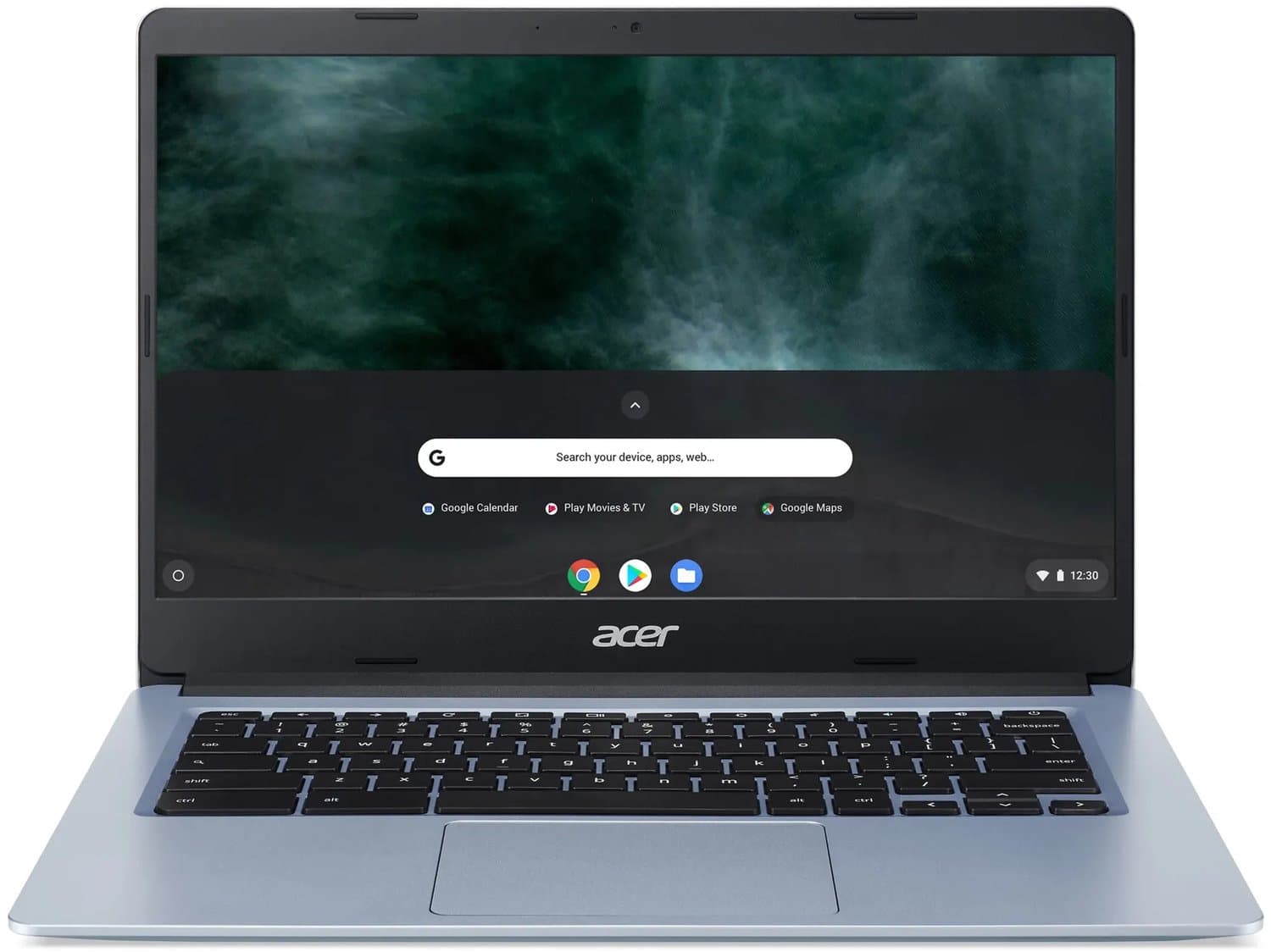
Acer Chromebook 314 CBOA314-1H-C6NG - 14 inch - 4GB - 128GB - Zwart - AZERTY
Best budget
From
€ 309,00
at bol
Top producten vergelijken


Top 6 Chromebooks 2026: Lenovo IdeaPad Slim 5, HP Chromebook Plus, Acer Spin 714 and more. Live EU pricing.
A Chromebook in 2026 is no longer "that cheap laptop for school kids" — Chromebook Plus models run Linux apps and Android apps natively, ship with Snapdragon X or Intel Core Ultra processors, and deliver on-device Gemini AI features. For browser-oriented users, a Chromebook is often a better choice than an equivalent Windows laptop. We've compared the six best Chromebooks available right now with live Dutch pricing.
Quick picks: top 3 Chromebooks 2026
- Best overall: Lenovo IdeaPad Slim 5 Chromebook Plus — Snapdragon X Plus, from €549
- Best premium: HP Chromebook Plus 14" — Intel Core Ultra 5, from €699
- Best budget: Acer Chromebook 314 — Intel N100, from €329
Every Chromebook Plus model receives 10 years of automatic ChromeOS updates from Google and supports on-device Gemini AI. Read on for the full top six.
How we compare Chromebooks
Our rankings rest on four criteria: (1) performance in browser and cloud workloads based on processor and memory specifications, (2) battery life in mixed use (browser, video, video calls) per manufacturer data and aggregated user reviews, (3) display quality per rtings.com laptops, and (4) software support from Google's 10-year auto-update commitment (AUE date). We rely on manufacturer specifications, manufacturer data and aggregated user reviews; we did not test the Chromebooks ourselves.
Since 2024 Google differentiates "Chromebook Plus" as a premium tier — these models meet minimum specs (Core i3 or Ryzen 3 or equivalent, 8 GB RAM, 128 GB SSD, Full HD display) and unlock AI features (Help me write, Magic editor in Photos, local Gemini). We focus on Chromebook Plus because regular Chromebooks in 2026 are usually too constrained for modern workflows.
Lenovo IdeaPad Slim 5 Chromebook Plus — Best overall (€549-€649)
TL;DR: Qualcomm Snapdragon X Plus (ARM), 8 GB LPDDR5X, 256 GB UFS storage, 14" 1920×1200 IPS display, 1.45 kg. ARM Chromebook with impressive battery life and silent operation.
Who it's for: Knowledge workers spending most time in browser, Google Docs and Slack. Students wanting to run Android apps alongside schoolwork. Anyone wanting a fast, cool, and silent laptop without Windows complexity.
What stands out: Snapdragon X Plus delivers strong performance in its price bracket. Battery 16-18 hours real world — best in class. Completely fanless. WiFi 7, Bluetooth 5.3, USI 2.0 stylus support. 14" 16:10 display with 100% sRGB for work-tablet duality.
Cons: ARM Chromebooks have small Linux app compatibility limitations — Docker containers work differently than on x86. Some Android apps remain x86-only and run under emulation. Webcam is 1080p but without IR Hello.
HP Chromebook Plus 14" Core Ultra — Best premium (€699-€849)
TL;DR: Intel Core Ultra 5 226V (Lunar Lake), 16 GB LPDDR5X, 512 GB Gen4 SSD, 14" 1920×1200 IPS touchscreen, 1.35 kg. The business Chromebook pick with x86 compatibility.
Who it's for: Users who specifically need x86 Linux apps (Docker, VS Code remote container development, IntelliJ), and business users who want to manage their fleet through ChromeOS Enterprise via Google Admin Console.
What stands out: Lunar Lake brings Intel NPU to Chromebook — local Gemini Nano runs faster than Snapdragon X Plus. Touchscreen plus USI 2.0 pen support. Backlit keyboard with 1.5 mm key travel. Nano-IPS panel with 400 nits for outdoor work. Fingerprint reader.
Cons: Battery 11-13 hours — below Snapdragon X Plus 16-18 hours. €100-€200 premium versus ARM alternatives. ChromeOS Enterprise requires a separate Google Workspace license (€10/user/month).
Acer Chromebook 314 — Best budget (€329-€399)
TL;DR: Intel Processor N100, 8 GB DDR5, 128 GB eMMC, 14" 1920×1080 IPS display, 1.4 kg. The budget pick that runs ChromeOS well without compromise.
Who it's for: School kids, students on tight budgets, seniors who only need browser and video, or as a secondary laptop for travel. For buyers with €400 budgets who don't want to give up a 14" IPS panel with decent color.
What stands out: N100 is surprisingly snappy for browser work — comparable to older i5-1135G7 in single-thread. Battery 10-12 hours. Compact and lightweight. AUE date through 2034 — 10 years of updates.
Cons: 128 GB eMMC is slower than NVMe SSD — noticeable with large files. 8 GB RAM is enough for browser but tight for Android multitasking. Not Chromebook Plus — lacks Gemini features.
For more performance at the price, compare in our best laptops 2026 buying guide.
Compare prices — Acer Chromebook 314 CBOA314-1H-C6NG - 14 inch - 4GB - 128GB - Zwart - AZERTY
More from Acer · Prices verified: 22 h ago · 1 shop

Acer Chromebook Spin 714 (2026) — Best 2-in-1 Chromebook (€799-€949)
TL;DR: Intel Core Ultra 7 268V, 16 GB LPDDR5X, 512 GB Gen4 SSD, 14" 2560×1600 IPS touchscreen 360° hinge, 1.46 kg. The premium 2-in-1 Chromebook for creative users.
Who it's for: Designers and illustrators working in Concepts or Infinite Painter via Android, students taking digital notes in Goodnotes Web, and hybrid users wanting tablet-mode flexibility.
What stands out: 2.5K 2560×1600 display with 100% DCI-P3 and 400 nits is unique in the Chromebook segment. USI 2.0 active pen included. Gorilla Glass touchscreen. Full 360° conversion to tablet mode. Thunderbolt 4 for external monitor and dock.
Cons: 2 kg in tablet mode is heavy for prolonged handheld use. High price for a Chromebook — at €949 you're entering MacBook Air territory. Battery 11-12 hours real world.
Asus Chromebook CX34 Plus — Best workhorse (€599-€729)
TL;DR: Intel Core Ultra 5 226V, 16 GB LPDDR5X, 256 GB Gen4 SSD, 14" 1920×1200 IPS, 1.45 kg, MIL-STD-810H certified. The most durable Chromebook in the mainstream class.
Who it's for: Field workers who don't baby their laptop, students who want spill resistance, and businesses needing fleet-deployable Chromebooks with enterprise management.
What stands out: Spill-resistant keyboard (200 ml water). MIL-STD-810H drop test certified. Reinforced hinge. Aluminum top, magnesium bottom. Full Chromebook Plus spec with Gemini access. WiFi 7.
Cons: No touchscreen. Weight 1.45 kg slightly above Lenovo IdeaPad. Battery 13-14 hours — solid but not class-leading.
Framework Laptop 13 Chromebook Edition — Best repairable Chromebook (€999-€1,299)
TL;DR: Intel Core Ultra 5 226V or Core Ultra 7 268V, 16-32 GB DDR5 SO-DIMM (replaceable), 512 GB-2 TB M.2 SSD (replaceable), 13.5" 2256×1504 IPS, 1.3 kg. Fully upgradable and repairable Chromebook.
Who it's for: Right-to-repair enthusiasts, users with a long-term TCO focus, sysadmins who want to maintain hardware themselves. People supporting the philosophy of repairable electronics.
What stands out: Every component available individually via Framework Marketplace: displays, batteries, RAM, SSD, keyboards, expansion cards. ChromeOS version receives 10 years of updates plus the hardware can be physically maintained for 8-10 years. iFixit 10/10 repairability score.
Cons: High price for the specs (€999 base is roughly €450 above the Lenovo Slim 5 at comparable performance). Lead time 4-6 weeks. Service via Framework support, not the Lenovo/Acer/HP NL network.
Chromebook comparison table 2026
| Model | CPU | RAM | SSD | Display | Battery | Price |
|---|---|---|---|---|---|---|
| Lenovo IdeaPad Slim 5 CB Plus | Snapdragon X Plus | 8 GB | 256 GB | 14" 1920×1200 | 16-18h | €549-€649 |
| HP Chromebook Plus 14" | Core Ultra 5 226V | 16 GB | 512 GB | 14" 1920×1200 touch | 11-13h | €699-€849 |
| Acer Chromebook 314 | Intel N100 | 8 GB | 128 GB | 14" 1920×1080 | 10-12h | €329-€399 |
| Acer Chromebook Spin 714 | Core Ultra 7 268V | 16 GB | 512 GB | 14" 2560×1600 touch | 11-12h | €799-€949 |
| Asus Chromebook CX34 Plus | Core Ultra 5 226V | 16 GB | 256 GB | 14" 1920×1200 | 13-14h | €599-€729 |
| Framework Laptop 13 CB | Core Ultra 5-7 | 16-32 GB | 512 GB-2 TB | 13.5" 2256×1504 | 10-12h | €999-€1,299 |
How to choose the right Chromebook
For students and general use: Lenovo IdeaPad Slim 5 Chromebook Plus — best battery, sufficient performance, reasonable price. For tighter budgets: Acer Chromebook 314. Also compare our best student laptop 2026 if Windows is an option.
For knowledge workers: HP Chromebook Plus 14" Core Ultra 5 — x86 compatibility with Linux apps, premium finish, fingerprint security.
For creative users: Acer Chromebook Spin 714 2-in-1 — 2.5K display, USI pen, 360° hinge for sketching and notes.
For field work and travel: Asus Chromebook CX34 Plus — MIL-STD-810H certified, spill-resistant, reliable battery.
For the future-conscious user: Framework Laptop 13 Chromebook — repairable and upgradable. Best TCO over 8-10 years of use.
Pair with an external monitor: All Chromebook Plus models support external 4K displays. See our best monitors 2026 buying guide for compatible options.
ChromeOS, AUE and what you need to know
ChromeOS update commitment: Google guarantees 10 years of automatic updates for all Chromebooks (since 2024). The AUE date (Auto Update Expiration) appears on every product page. A Chromebook purchased in 2026 receives updates through 2036 — significantly longer than typical Windows laptop support.
Linux app support: All modern Chromebooks support Linux (Crostini), but performance varies. x86 Chromebooks run Docker, VS Code, and IntelliJ smoothly. ARM Chromebooks (Snapdragon) are more limited — particularly around container support and some IDE features.
Android app compatibility: Native via ChromeOS Play Store. In 2026, 95% of popular Android apps are optimized for large screens. Some games and newly released apps remain x86-only — check before purchase if specific Android apps matter.
On-device Gemini AI: Chromebook Plus models include Gemini Nano on-device. Features: Help me write in Gmail/Docs, Magic Editor in Google Photos, local speech transcription, and in 2026 Help me read (summarization). No Microsoft Copilot+ equivalent — choose a Windows laptop for Copilot+ workflows.
EU warranty and buying tips for Chromebooks
The standard 2-year EU consumer warranty applies to every Chromebook. Lenovo, HP, Acer, and Asus offer on-site or advance-replacement service through the manufacturer or via retailers like Coolblue and Bol. Framework offers direct-to-customer service with advance replacement within 5 working days.
Coolblue Chromebook Lease: Coolblue offers Chromebook leasing for businesses and freelancers from €19/month including service. An attractive option for fleet deployments.
Refurbished Chromebooks: Lenovo Refurbished sells 2024 IdeaPad Slim 3 Chromebook models from €299 with a 1-year warranty. Solid deal for budget-conscious buyers — watch the AUE date, some refurbished models have fewer than 10 years of update lifespan.
ChromeOS Enterprise: For business fleet management, Google Workspace plus ChromeOS Enterprise upgrade is required (€16/laptop/month). Grants access to Google Admin Console for policy, app deployment, and remote wipe.
Frequently asked questions
Can I run Microsoft Office on a Chromebook?
Yes — Microsoft 365 web version works fully. Microsoft 365 Android apps work too but are limited. For heavy Excel users with macros, a Windows business laptop is better.
Can I run Adobe Photoshop on a Chromebook?
Photoshop Web has worked nearly fully in browser since 2024. Lightroom as an Android app runs natively with Chromebook Plus performance. Full Creative Cloud desktop suite doesn't work — for pro work choose a video editing laptop or MacBook.
Is a Chromebook good for gaming?
GeForce NOW and Xbox Cloud Gaming work natively in ChromeOS via Steam Beta or browser — play even Cyberpunk 2077 on a €549 Chromebook with good internet. For local gaming see a gaming laptop or gaming PC.
How much RAM do I need in a Chromebook?
8 GB for light browser work and basic Android apps. 16 GB for multitasking, Linux apps, and Android multitasking. Above 16 GB is only needed for specific pro workflows.
Does a Chromebook work offline?
Yes — Google Docs, Sheets, and Slides have offline modes. Gmail syncs offline. Android apps that work offline (Spotify cache, Netflix downloads) work normally. Linux apps work fully offline.
What's the difference between Chromebook and Chromebook Plus?
Plus meets minimum specs (Core i3+/Ryzen 3+, 8 GB RAM, 128 GB SSD, FHD display) and exclusive Gemini AI features. Regular Chromebooks lack these. In 2026 we recommend Plus almost universally.
Can I run Linux apps?
Yes — Crostini Linux support is standard. Docker works on x86 Chromebooks, more limited on ARM. VS Code, IntelliJ, GIMP, LibreOffice all run natively.
How many years of update support do I get?
10 years from the Chromebook model's release date. A Chromebook bought in 2026 that launched in 2025 receives updates through 2035. Check the AUE date on the specific product page.
Read also
For alternatives: best laptops 2026 buying guide, best student laptop 2026, best business laptop 2026. For Apple: best MacBook 2026, MacBook Pro 14 M5 review. For desktop: best mini PC 2026. For external monitor: best monitors 2026.
Meer producten vergelijken


Got a question? Just ask.
We'll email you back within 24 hours. No sales pitch.