Best Video Editing Laptop 2026
Top 6 video editing laptops 2026: MacBook Pro M5 Max, ASUS ProArt RTX 5080, Razer Blade 16 and more.
Top producten vergelijken


Top 6 video editing laptops 2026: MacBook Pro M5 Max, ASUS ProArt RTX 5080, Razer Blade 16 and more.
Choosing a laptop for video editing in 2026 comes down to four things: CPU cores for encoding, GPU for accelerated timeline and effects, RAM for multitrack projects, and display precision for color grading. Apple's M5 Pro/Max and Nvidia's RTX 5070 Ti/5080 mobile dominate — but between €1,500 and €4,500 there are significant real-world differences. We've compared six laptops on DaVinci Resolve, Premiere Pro, and Final Cut Pro with 4K and 8K timelines.
Quick picks: top 3 video editing laptops 2026
- Best overall: Apple MacBook Pro 16" M5 Max — from €3,499
- Best Windows pick: ASUS ProArt Studiobook 16 (RTX 5080) — from €2,899
- Best value: Apple MacBook Pro 14" M5 Pro — from €2,249
For 4K editing, M5 Pro with 24 GB is the minimum; for 8K or high-bitrate ProRes/RED RAW, M5 Max with 48-64 GB. Read on for detailed advice per workload.
How we compare video editing laptops
Our ranking is based on four criteria: (1) timeline playback of complex 4K and 8K projects in DaVinci Resolve 19 and Final Cut Pro 11 (multi-cam, color grading, Fusion effects), (2) export times for H.265 4K 60p and ProRes 422 HQ, (3) display precision (DCI-P3 coverage, Delta-E, sustained brightness), and (4) thermal behavior under render load.
Benchmark data comes from Tom's Hardware, notebookcheck.net, and rtings.com laptops. We focus on laptops between €1,800 and €4,500 — below €1,800 serious 4K editing means compromises; above €4,500 the extra cost is only relevant for specific pro workloads.
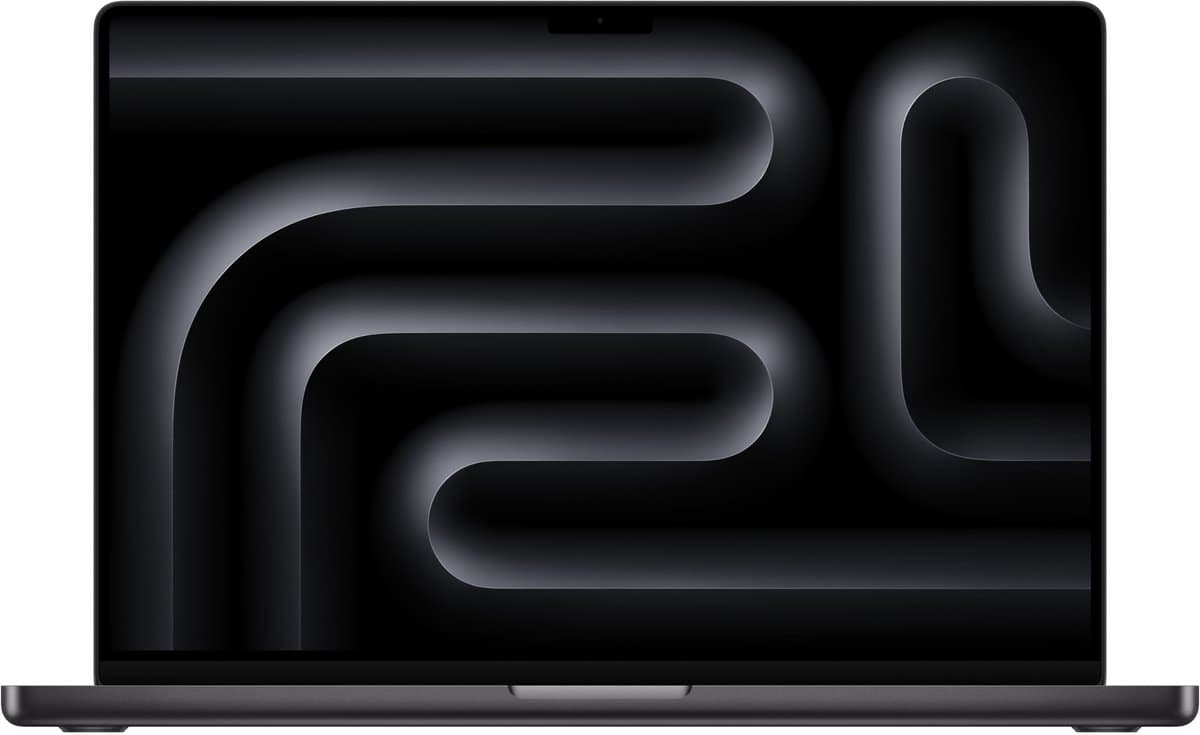
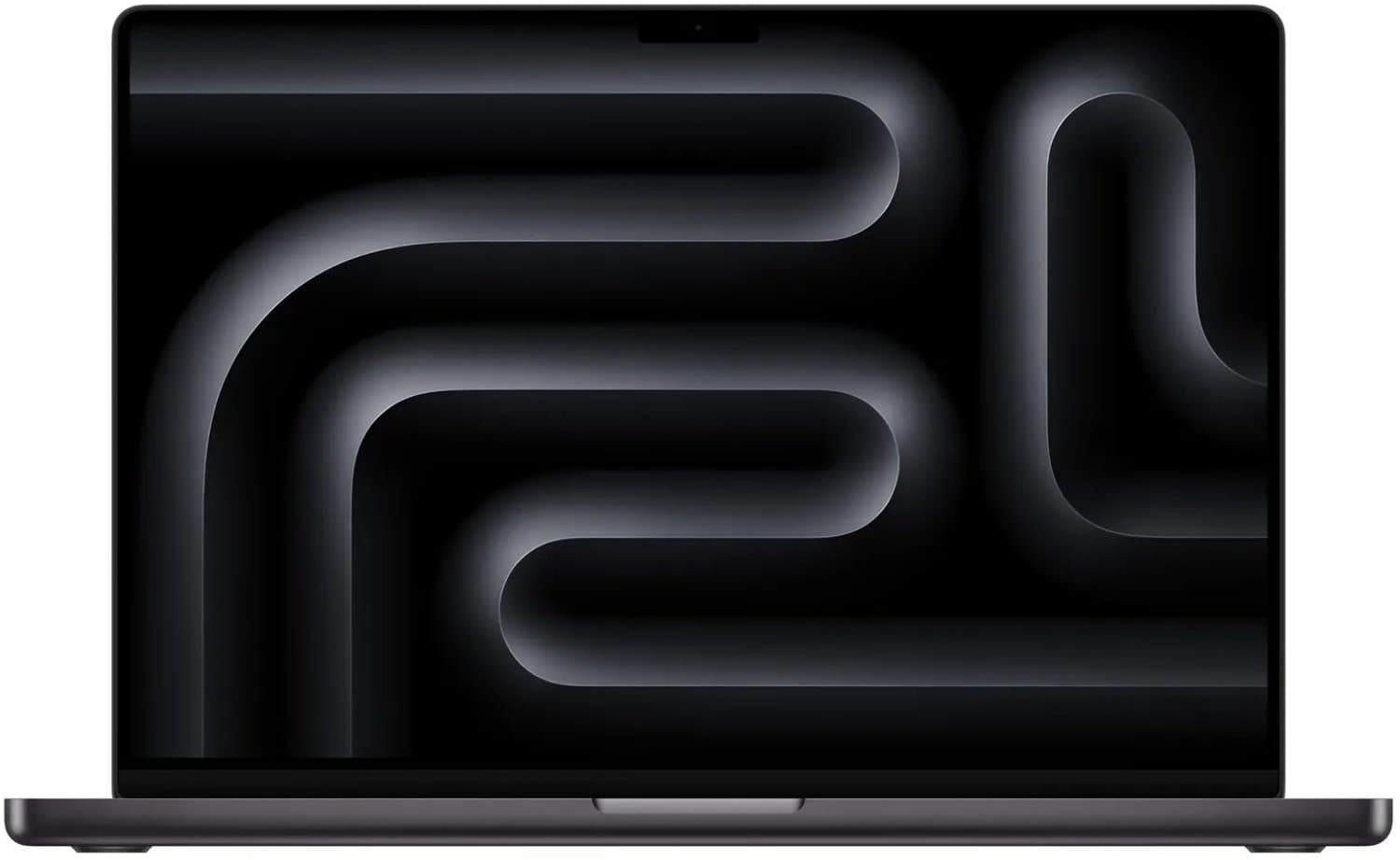
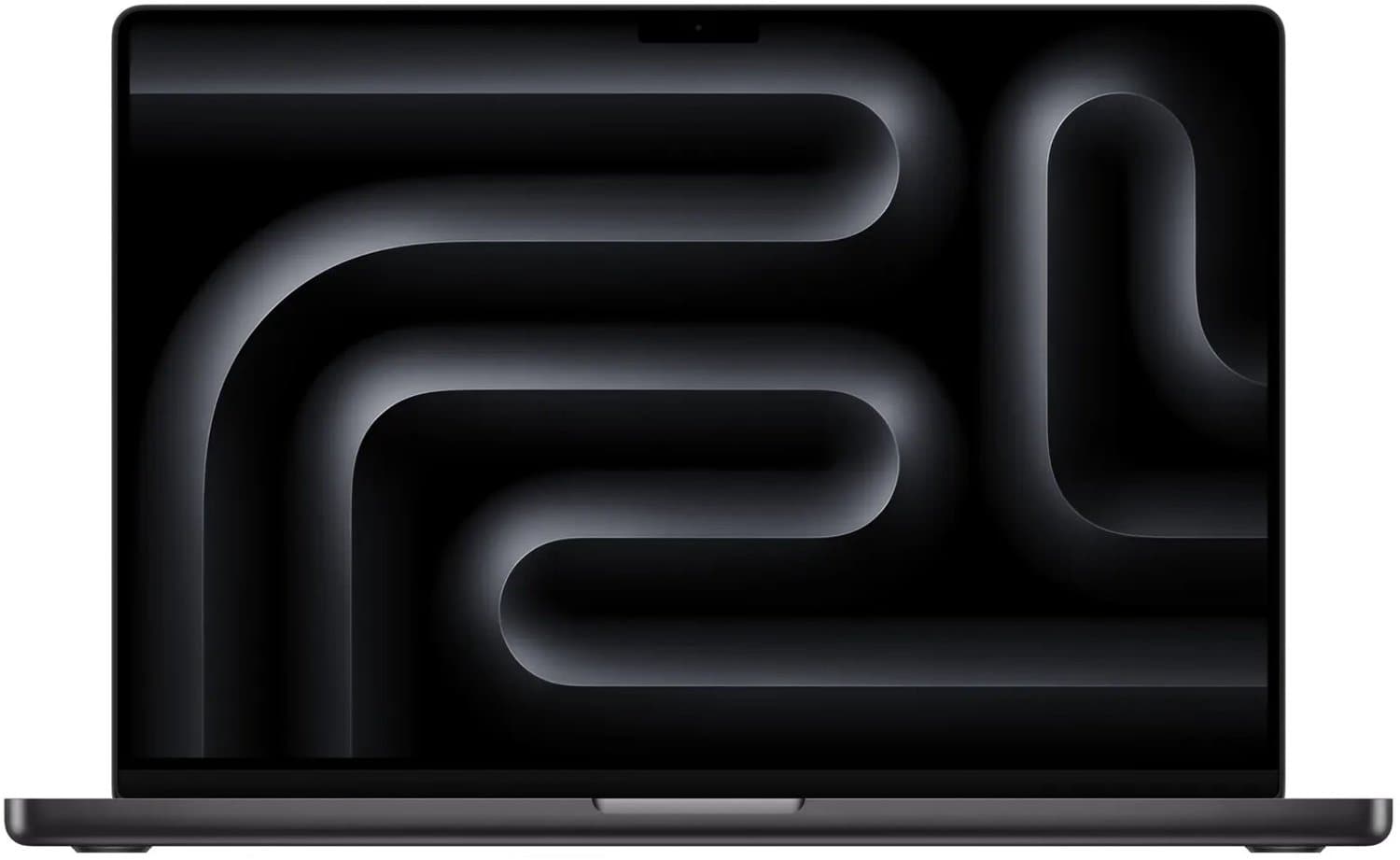
Apple MacBook Pro 16" M5 Max — Best overall (€3,499-€4,999)
TL;DR: Apple M5 Max (16-core CPU, 40-core GPU), 48 GB unified memory, 1 TB SSD, 16.2" mini-LED 120 Hz, 2.16 kg. The most powerful pro laptop for video on the market — no fan hassle, just performance.
Who it's for: Pro editors working multiple hours daily in DaVinci Resolve or Final Cut Pro, colorists handling ProRes 422 HQ multi-track timelines, and VFX artists with Fusion graphs. Also strong for 8K ProRes/BRAW work with multiple parallel streams.
What stands out: M5 Max GPU with 40 cores delivers Final Cut Pro 4K H.265 export approximately 25% faster than RTX 5070 Ti mobile, and DaVinci Resolve Fusion 15% faster at equal complexity. 48 GB unified memory (expandable to 128 GB) enables 8K ProRes 60p timelines without proxies. Display: 1600 nits HDR peak, 600 nits sustained, P3 reference mode calibratable to Delta-E < 2 without external probe.
Cons: Starting price €3,499 with 48 GB and 1 TB SSD. SSD upgrades expensive (8 TB +€2,760). No Nvidia CUDA-only effects (some plug-ins like Red Giant Trapcode run faster on CUDA). For Windows-only tooling consider Parallels or remote desktop.
Full review: MacBook Pro 14 M5 review (shares architecture with the 16" M5 Max).
ASUS ProArt Studiobook 16 (RTX 5080) — Best Windows pick (€2,899-€3,499)
TL;DR: Intel Core Ultra 9 285HX, 64 GB DDR5, 2 TB NVMe Gen4, RTX 5080 16GB mobile, 16" OLED 3840×2400 120Hz, 2.4 kg. Display precision and GPU power in a certified creator chassis.
Who it's for: Adobe Premiere Pro editors who specifically use CUDA-accelerated effects, colorists in DaVinci Resolve grading on OLED HDR, and motion graphics designers in After Effects.
What stands out: 16" OLED 4K with 100% DCI-P3, Delta-E < 1 out of the box, and Pantone validation. RTX 5080 mobile with 16 GB VRAM accelerates Premiere CUDA export significantly — H.264 4K 60p export 35-40% faster than M5 Pro 14". Asus Dial physical control for Adobe apps. ProArt Creator Hub for display-mode switching.
Cons: 2.4 kg is heavy for mobile work. Battery under heavy render only 2-3 hours. Fan noise under render load 47-50 dB — significant. No 8K ProRes hardware decode like Apple offers.
Apple MacBook Pro 14" M5 Pro — Best value (€2,249-€2,799)
TL;DR: Apple M5 Pro (12-core CPU, 16-core GPU), 24 GB unified memory standard, 512 GB SSD base, 14.2" mini-LED 120 Hz, 1.6 kg. The mobile pro pick delivering 80% of M5 Max performance for 60% of the price.
Who it's for: Editors who prioritize mobility over absolute performance. YouTube creators, videographers on location, freelance editors with diverse client projects. 4K H.265 60p work runs smoothly.
What stands out: Silent operation — fans rarely spin up under editing work. Battery 14-17 hours browsing/editing, 10-12 hours during active rendering. Display quality identical to the 16" model. M5 Pro for 4K H.265 and ProRes 422 LT is nearly as fast as M5 Max; differences emerge in 8K, multi-stream, or heavy Fusion work.
Cons: 14" display smaller than ideal editing real estate — external monitor strongly recommended. 24 GB unified memory minimum can be tight for heavy Fusion work; upgrade to 36 GB +€230.
For a full MacBook comparison: best MacBook 2026.
Razer Blade 16 (2026) — Best hybrid creator+gamer (€2,799-€3,299)
TL;DR: Intel Core Ultra 9 285HX, 32 GB DDR5, 1 TB SSD, RTX 5070 Ti mobile, 16" OLED 2560×1600 240Hz, 2.05 kg. The Razer Blade that combines pro editing with AAA gaming.
Who it's for: YouTube creators making and editing gaming content. Streamers handling OBS encoding alongside editing. Hybrid pros who don't want separate gaming and editing machines.
What stands out: OLED 240Hz combines color quality (100% DCI-P3) with esports-friendly refresh rates. RTX 5070 Ti delivers full 4K H.265 GPU encoding plus RT performance for games. Aluminum chassis retains premium feel. Razer Synapse Studio Mode calibrates OLED for video work.
Cons: Editing export slightly slower than RTX 5080 models. Battery 4-5 hours during editing. Fan noise under full render 45-48 dB. Razer software occasionally unstable.
For pure gaming: best gaming laptop 2026.
Dell Precision 7780 (2026) — Best workstation laptop (€3,799-€5,499)
TL;DR: Intel Xeon W-2495X, 64 GB ECC DDR5, 2 TB Gen5 NVMe, Nvidia RTX 5000 Ada Mobile 24GB, 17.3" OLED 4K, 3.2 kg. ISV-certified mobile workstation for color-critical work.
Who it's for: Pro post-production studios, colorists handling ProRes 422 HQ 8K stream work, ISV-certified DaVinci Resolve Studio workflows, and users requiring ECC RAM for mission-critical work.
What stands out: RTX 5000 Ada Mobile with 24 GB VRAM has the highest GPU memory in the laptop segment — critical for 8K timelines and large node trees. ECC RAM prevents data corruption during long renders. Dell ProSupport Plus 3 years standard. ISV certification for DaVinci Resolve Studio, Avid Media Composer, AutoCAD.
Cons: 3.2 kg plus large power brick — this is a desktop replacement, not mobile. Price €3,799 base, fully configured up to €7,500. Battery 2 hours under render. For stationary studio work, a desktop gaming PC or mini PC often offers better price/performance.
HP ZBook Studio 16 G12 — Best durable editing laptop (€2,499-€3,199)
TL;DR: Intel Core Ultra 9 285HX, 32 GB DDR5, 1 TB SSD, RTX 5070 mobile or RTX 5070 Ti mobile, 16" OLED 3840×2400 120 Hz, 1.97 kg. Slimmer mobile workstation balancing performance with portability.
Who it's for: Editors visiting client locations regularly who prioritize reliability and service level. Production houses needing fleet-deployable editing laptops.
What stands out: ZCentral Remote Boost for remote editing setup (useful for team workflows). HP Wolf Security stack. PANTONE-validated OLED 4K. HP Active Care 3-year on-site standard. Magnesium chassis 1.97 kg — best weight-to-performance ratio in Windows workstation class.
Cons: No ECC RAM option. RTX 5070 version trails the Razer Blade 16. Price higher than ASUS ProArt for comparable specs.
Video editing laptop comparison table 2026
| Model | CPU | GPU/RAM | SSD | Display | Weight | Price |
|---|---|---|---|---|---|---|
| MacBook Pro 16" M5 Max | M5 Max | 48 GB unified | 1 TB | 16.2" mini-LED 120Hz | 2.16 kg | €3,499-€4,999 |
| ASUS ProArt Studiobook 16 | Core Ultra 9 285HX | RTX 5080 + 64 GB | 2 TB | 16" OLED 4K 120Hz | 2.4 kg | €2,899-€3,499 |
| MacBook Pro 14" M5 Pro | M5 Pro | 24 GB unified | 512 GB | 14.2" mini-LED 120Hz | 1.6 kg | €2,249-€2,799 |
| Razer Blade 16 (2026) | Core Ultra 9 285HX | RTX 5070 Ti + 32 GB | 1 TB | 16" OLED 240Hz | 2.05 kg | €2,799-€3,299 |
| Dell Precision 7780 | Xeon W-2495X | RTX 5000 Ada + 64 GB ECC | 2 TB | 17.3" OLED 4K | 3.2 kg | €3,799-€5,499 |
| HP ZBook Studio 16 G12 | Core Ultra 9 285HX | RTX 5070 Ti + 32 GB | 1 TB | 16" OLED 4K 120Hz | 1.97 kg | €2,499-€3,199 |
How to choose the right editing laptop
For mobile YouTube/social content (1080p-4K): MacBook Pro 14" M5 Pro — best balance of performance, mobility, and battery. More than enough for 4K H.265.
For pro editors with ProRes/BRAW 4K-8K: MacBook Pro 16" M5 Max — Apple's hardware ProRes decode significantly accelerates timelines. 48 GB minimum.
For Adobe Premiere plus CUDA workflows: ASUS ProArt Studiobook 16 RTX 5080 — Premiere Pro with CUDA acceleration is simply faster than Apple silicon.
For hybrid gaming plus editing: Razer Blade 16 — RTX 5070 Ti delivers both well.
For color-critical pro studios: Dell Precision 7780 with RTX 5000 Ada 24GB and ECC RAM. Or consider a desktop workstation for stationary work.
Pair with an external monitor: A 32" 4K HDR monitor with DCI-P3 coverage massively boosts productivity. See our best monitors 2026 buying guide for color-grading-capable models.
Color grading, displays and calibration
For color-critical work, display quality is non-negotiable. Our picks ranked by color accuracy:
- Apple Liquid Retina XDR (M5 Pro/Max) — Delta-E < 2 out of the box with Reference Mode. 1600 nits HDR. The best laptop display for video work in 2026.
- ASUS ProArt OLED 4K — 100% DCI-P3, Delta-E < 1 out of the box, Pantone Validated.
- HP ZBook OLED 4K — PANTONE-validated, 100% DCI-P3, X-Rite color calibrator app support.
- Dell Precision OLED 4K — Color critical mode included, DisplayHDR True Black 500.
- Razer Blade OLED 240Hz — Strong for video but refresh rate is overkill for editing.
Calibration tip: For pro work, an external X-Rite i1Display Pro or Calibrite ColorChecker Display Plus (€189-€259) is worth it. Out-of-the-box calibration stays accurate for 6-12 months — after that, drift sets in.
EU warranty, AppleCare+ and service tiers
Apple AppleCare+: €329-€399 for 3 years on MacBook Pro with accidental damage coverage. Recommended for M5 Max models given repair costs.
Dell ProSupport Plus: Standard on Precision series 3 years on-site including accidental damage. Critical for pro workstations — downtime costs production time.
HP Active Care plus DSS: HP Active Care 3 years on-site (€189). DSS (Device Status Service) +€99 for proactive monitoring — useful for production environments.
ASUS Premium Care: €159 for 3 years international on-site. Solid but no accidental damage coverage.
Razer Hyperboost: 2 years standard. No accidental damage. Fine for freelancers on individual projects; too limited for studios.
Refurbished editing laptops: Apple Refurbished regularly sells MacBook Pro 16" M4 Max models from €2,799 — for users not needing M5-specific features, a €700-€1,000 saving.
Frequently asked questions
How much RAM do I need for video editing in 2026?
16 GB for 1080p, 32 GB for 4K H.265, 48-64 GB for 4K ProRes and 8K. ECC RAM only for color-critical pro work in studio context.
Apple Silicon or Intel/AMD for video editing?
Apple M5 Pro/Max wins in Final Cut Pro, DaVinci Resolve, and H.265/ProRes workflows. Windows with RTX 5080 wins in Premiere Pro CUDA effects, AI acceleration (Topaz Video AI), and hybrid gaming/editing.
Is an external GPU (eGPU) worth considering?
With Thunderbolt 5 (40 Gbps) you still lose 15-25% performance versus internal GPU. Useful for occasional heavier work; for full-time editing, choose a laptop with an internal RTX 5070 Ti or higher.
How much storage do I need?
For 1 year of active project work: 2 TB minimum internal, external Thunderbolt SSDs (4-8 TB Samsung T7 or OWC Express 4M2) for archive. Cloud backup via Frame.io or LucidLink for team workflows.
Which display size for editing?
14" for mobile work plus external 27-32" monitor in studio. 16" for solo work where one screen suffices. 17" Precision only as stationary desktop replacement.
Final Cut Pro or DaVinci Resolve in 2026?
Final Cut Pro: macOS-only, best integration with Apple silicon, solid color grading. DaVinci Resolve: cross-platform, best color grading and Fusion VFX, free tier very complete. For pure editing work, the difference is small.
Do I need a dedicated GPU on Apple silicon?
No — M5 Pro/Max has powerful integrated GPU with hardware ProRes/BRAW decode and encode. External GPUs aren't supported. For pure performance: M5 Max.
Can I use gaming laptops for video editing?
Yes, provided OLED or mini-LED display with color accuracy. Gaming laptops with TN or basic IPS panels are unsuitable for color-critical work. Razer Blade 16 OLED is a strong hybrid pick.
Read also
Full MacBook comparison: best MacBook 2026, MacBook Pro 14 M5 review. Business alternatives: best business laptop 2026. For hybrid gaming: best gaming laptop 2026. For stationary editing: best gaming PC 2026, best mini PC 2026. For external monitor: best monitors 2026. Broader selection: best laptops 2026 buying guide.
Meer producten vergelijken


Got a question? Just ask.
We'll email you back within 24 hours. No sales pitch.