Best Wi-Fi Routers for Student Houses 2026
The best Wi-Fi routers and mesh systems for shared student houses in 2026, compared on speed, coverage, price and setup.

Our top pick
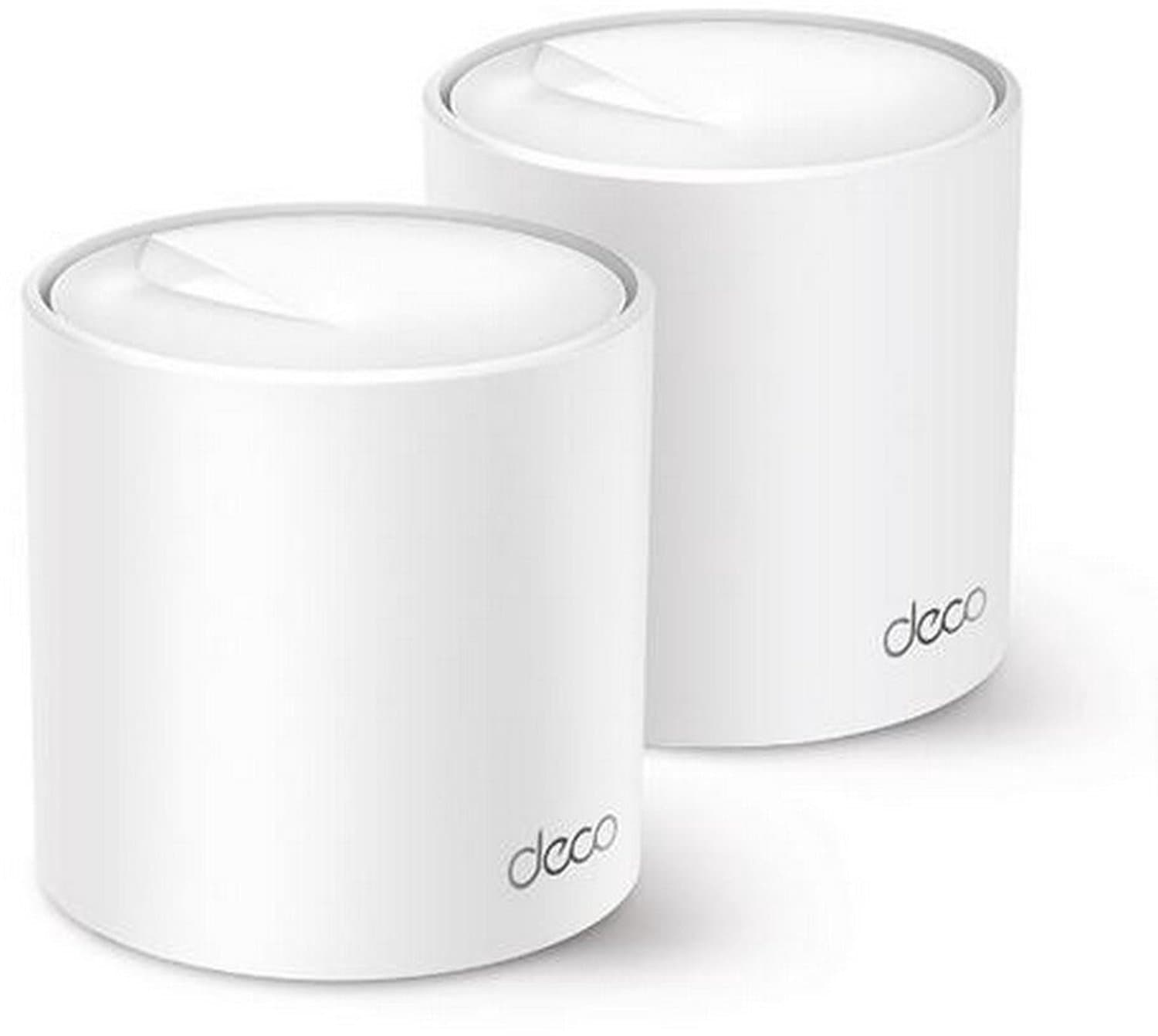
TP-Link Deco X50 3-Pack
Best all-rounder for large houses
From
€ 167,00
at Joybuy
Top producten vergelijken


The best Wi-Fi routers and mesh systems for shared student houses in 2026, compared on speed, coverage, price and setup.
In a shared student house, everyone is fighting over the same wifi: four rooms full of laptops, three people on video calls at once, gaming in the attic and Netflix in the living room. The router your ISP hands out rarely copes. Your own wifi router or mesh set costs a fraction of your yearly rent and saves you daily stress. In this guide we compare the best wifi routers and mesh systems for student houses in 2026 on speed, coverage, price and ease of use, based on specifications, user reviews and current prices at Dutch webshops.
What to look for in a router for a student house?
Number of users and devices. A student house with 4-6 residents quickly has 20+ devices on the wifi. Pick a router that can handle at least 30 simultaneous connections without buckling — in practice that means wifi 6 or wifi 7, not wifi 5.
Single router or mesh. One powerful router is enough for small flats (up to 80 m²). For a house spread across several floors without ethernet cabling, a mesh set (multiple small nodes that work together) beats a single strong router trying to blast through thick walls.
Wired or wifi only. Ethernet cables are more stable than wifi for gaming and video calls. Check whether the router has enough gigabit LAN ports (at least 3-4) and whether the house actually has ethernet points at all.
Parental controls and guest wifi. Parental controls usually aren't needed between housemates, but guest wifi (a separate network for visitors) is handy so friends don't have to join your main network.
Setup and management. A router you install via an app (TP-Link Tether, ASUS Router) saves you hours of hassle. Setup within 10 minutes is realistic for most modern models.
TP-Link Deco X50 3-Pack — Best all-rounder for large houses (around €150-€180)
The Deco X50 is the best-selling mesh set for Dutch student houses — and rightly so. Three nodes cover a home up to 200 m² across multiple floors, wifi 6 with enough speed for 4K streaming and online gaming at the same time, and the Deco app gets you set up within 10 minutes. Each pod has two ethernet ports for wired connections. For most student houses this is the obvious choice.
Compare prices — TP-Link Deco X50 3-Pack
More from TP-Link · Prices verified: 23 h ago · 2 shops


TP-Link Deco X50 2-Pack — Best for smaller homes (around €110-€140)
For a flat or house of 100 m² the 2-pack is plenty and €40-€60 cheaper. Same technology, fewer pods. You can add a single Deco X50 extension node later if you still find weak spots.
Compare prices — TP-Link Deco X50 2-Pack
More from TP-Link · Prices verified: 21 h ago · 2 shops

ASUS RT-BE58 Go — Best single router (around €100-€130)
If you live in a studio or small flat, you don't need mesh. The ASUS RT-BE58 Go is a wifi 7 router that sits in one place and covers 3-4 rooms without any tricks. AsusWRT is one of the richest router interfaces — more settings than you'll ever need, but the basics work out of the box. Wifi 7 is future-proof: if you buy a wifi 7 laptop three years from now, you'll put it to use straight away.
Compare prices — ASUS RT-BE58 Go - Draadloze Router - WiFi 7 - Dual-Band - 2.5 Gbps - 3600 Mbps
More from Asus · Prices verified: 21 h ago · 2 shops
TP-Link Archer BE550 — Best for gamers (around €130-€160)
This wifi 7 router has 2.5 gigabit LAN ports and QoS settings that give gaming traffic priority. For someone who games seriously and wants to stream alongside housemates at the same time, this is the sweet spot: one router that handles everything, without the price tag of premium models. A little pricier than the entry level, but you feel the latency gain right away.
Compare prices — TP-Link Archer BE550
More from TP-Link · Prices verified: 21 h ago · 2 shops
TP-Link Deco E4 (3-pack) — Best budget mesh (around €90-€110)
Wifi 5 instead of wifi 6, but for under €100 you get three mesh nodes that cover an average home. Fine for housemates who mainly stream, browse and email — not ideal if six people want to 4K-stream at once or game intensively. The cheapest way to get mesh into your house.
Compare prices — TP-Link Deco E4 (3-pack) Dual-band (2,4 GHz / 5 GHz) Wi-Fi 5 (802.11ac) Wit, Grijs 2 Intern
More from TP-Link · Prices verified: 23 h ago · 1 shop
TP-Link Deco X50 PoE 2-Pack — Best if ethernet is already installed (around €160-€200)
If your house already has ethernet points (or you plan to lay them yourself) a PoE mesh is superb: the pods are powered and connected via the ethernet cable. No extra sockets needed, no wifi backhaul between pods (which costs 50% of your speed). Only worth it if the infrastructure is in place.
Compare prices — TP-Link Deco X50 PoE 2-Pack
More from TP-Link · Prices verified: 21 h ago · 2 shops
Your own router or the ISP router?
The router you get for free from KPN, Ziggo or Odido is fine for one person. For a student house with 4+ residents it's nearly always the bottleneck: too few simultaneous connections, weak antennas, no mesh expandability. Put the ISP router into bridge mode (or ask the ISP to "cut it loose") and place your own router behind it. Ask your landlord if you're allowed to do this if anything about the installation is being changed.
Frequently asked questions about student house wifi routers
How many Mbps do I need?
Rule of thumb: 25 Mbps per person for 4K streaming, plus 5 Mbps for every device on standby. Four housemates who all want to stream at the same time: at least a 200 Mbps subscription plus a router that can handle that speed (wifi 6 or 7). For casual use (browsing, YouTube at 1080p), 100 Mbps is enough.
Will my ISP fine me if I use my own router?
No. Dutch ISPs accept your own router as long as you don't modify or replace their modem (the box that receives the internet line). Put their modem in bridge mode or "modem-only" mode, or ask their helpdesk to do so — it's a standard request (if you're in the Netherlands).
Does wifi 7 already work?
Yes, but you'll only notice it once your devices also support wifi 7. Right now (2026) only the latest smartphones and laptops have wifi 7. A wifi 7 router is however fully backwards compatible with wifi 6/5 devices — you lose nothing by buying one now.
How do I split the cost with housemates?
Work out what internet + router costs per person per month. A €150 mesh set for 4 housemates is €37.50 per person as a one-off — less than one cocktail each. Housemates split the ISP subscription anyway.
Can I connect my printer or NAS to it as well?
Yes, every modern router has LAN ports for wired devices and most mesh pods have 1-2 as well. For a network printer or NAS, wired is always more reliable than wifi.
Meer producten vergelijken


Got a question? Just ask.
We'll email you back within 24 hours. No sales pitch.