Best Desktop Computer 2026 — The Complete Buying Guide
Build, buy ready-made or go mini? Compare processors, graphics cards and memory for gaming, work or creative use in 2026.
Top producten vergelijken
Build, buy ready-made or go mini? Compare processors, graphics cards and memory for gaming, work or creative use in 2026.
Best desktop computer 2026: quick picks
Short on time? These are our standout desktop computers for 2026:
- Best overall: Custom-built AMD Ryzen 9000 PC with RTX 4070 — top performance per euro and fully upgradeable.
- Best value: Lenovo ThinkCentre / HP ProDesk prebuilt — quiet, low-power, plug-and-play for office work.
- Best for creators: High-end build with RTX 4080, 32 GB RAM and NVMe storage — built for 4K video and 3D.
- Best budget: Intel NUC or Mac mini (M-chip) — compact, complete and inexpensive for everyday use.
- Best premium: AMD Threadripper / Intel Xeon dual-GPU workstation — for rendering, science and AI work.
Last updated: May 2026. Listed prices are indicative — check the live lowest price on each product page.
Choosing the best desktop computer in 2026
Desktops may be less visible than laptops in 2026, but for anyone who wants ergonomics, performance per euro and upgrade flexibility, a desktop is still unbeatable. Three forms dominate: ready-made prebuilts from Dell, HP, Lenovo or MSI, self-built PCs with individual components, and compact mini-PCs or all-in-ones.
The market has seen some clear shifts. The AMD Ryzen 9000 series and Intel Core Ultra 2 both deliver impressive performance, while Apple's M-chip desktops — via the Mac mini and Mac Studio — take the efficiency crown. For gaming and creative work, Nvidia remains the market leader with its RTX 4000 and 5000 series GPUs. Browse the current desktops on Productvraag to compare prices at Dutch web shops.
Which desktop suits you?
The right choice depends on what you do. Three main scenarios:
For office and general use: a prebuilt or mini-PC with an integrated GPU is perfect. Expect to pay 450 to 700 euros for a complete setup such as a Lenovo ThinkCentre, HP ProDesk, Mac mini (M-chip) or Intel NUC. Quiet operation, low power draw, plug-and-play.
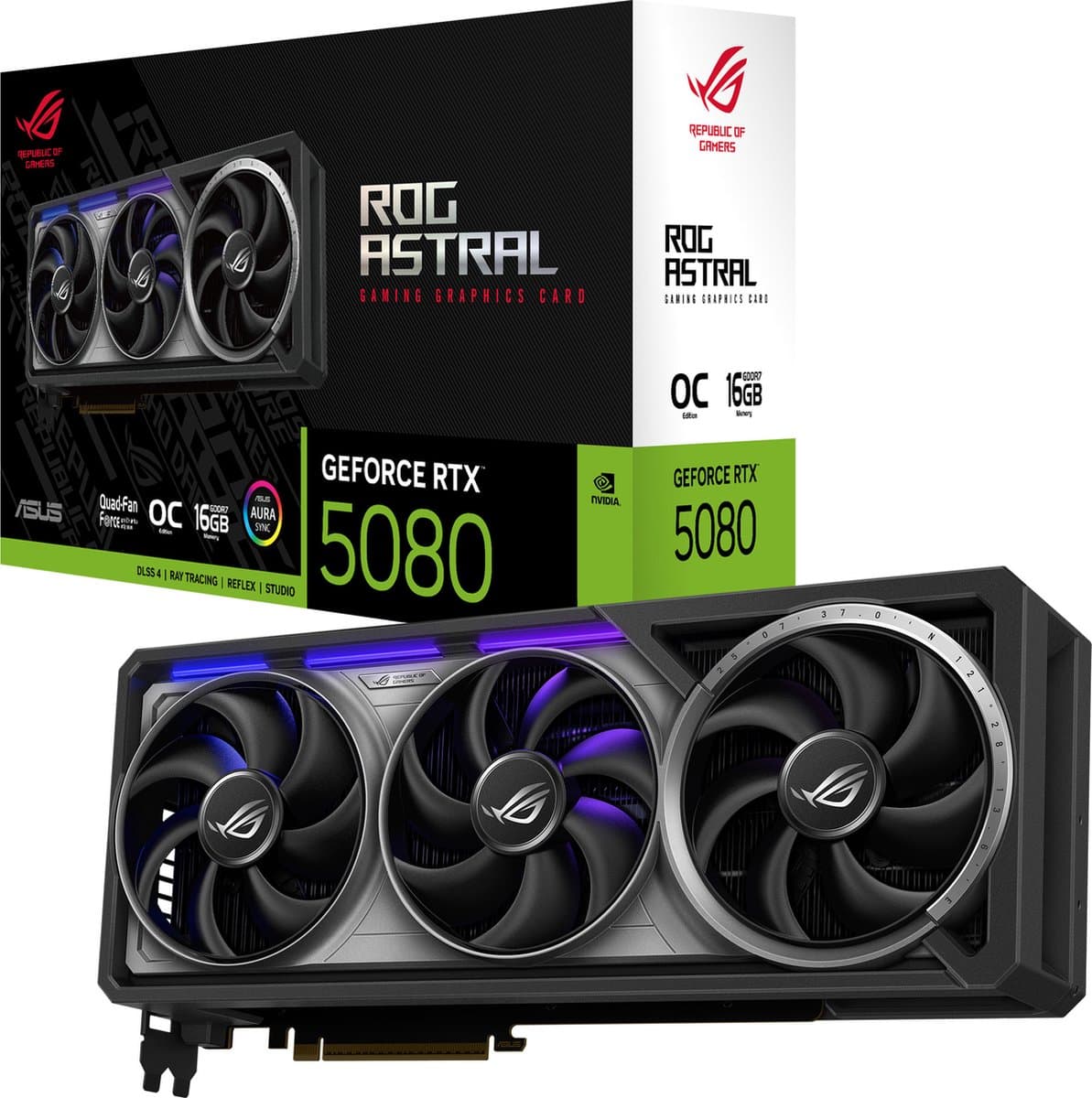
For gaming and creative work: a self-built or premium prebuilt with a dedicated GPU. An RTX 4060 for 1080p gaming (1,100 to 1,500 euros), an RTX 4070 for 1440p (1,500 to 2,000 euros), an RTX 4080 for 4K (2,200 to 2,900 euros). For 4K video editing or 3D work, 32 GB of RAM and NVMe storage are essential.
For workstations and professional use: AMD Threadripper or Intel Xeon with a dual-GPU setup for scientific work, 3D rendering or AI training. Here you start around 3,500 euros, and it can climb to 15,000 euros or more for extreme builds.
What you need to know before you buy
Five choices determine whether a desktop fits you. The processor is the heart of your system. Intel Core Ultra 2 (from 2024) is slightly faster in single-threaded tasks for gaming and office work. AMD Ryzen 7-9 is generally better for multi-threaded workloads. Apple M-chips (M3 Pro, M4) win on power efficiency but only run macOS.
The graphics card only matters if you game, edit video, model in 3D or run AI locally. For office work and browsing, the integrated GPU in modern processors is more than enough. A dedicated RTX 4060 adds 300 to 400 euros; a 4070 adds 600 to 750 euros; a 4080 adds 1,100 to 1,400 euros.
RAM: 16 GB is the comfortable minimum in 2026. 32 GB makes sense for multitasking, gaming with several applications open, or photo editing. 64 GB or more is only needed for 4K video editing, 3D rendering or running multiple virtual machines.
Storage: combine a 1 TB NVMe SSD (read our best SSD 2026 guide) for the system and applications (70 to 110 euros) with a 2-8 TB HDD for archiving (60 to 180 euros). NVMe Gen 4 is fast enough for most users; Gen 5 is only noticeable during large file transfers.
Cooling and the case make the difference during sustained use. Good air cooling is sufficient up to mid-range. AIO liquid cooling makes sense for top models with 200W+ CPUs. A solid case with good airflow prevents thermal throttling.
Build it yourself or buy ready-made?
Building it yourself is 10-25% cheaper per spec and gives you full control: quieter fans, a better power supply, easier upgrades. It does take 2-4 hours of work and some technical affinity. There are countless build guides online, and PCPartPicker.com helps with compatibility checks.
Ready-made systems (Dell XPS Desktop, HP Pavilion, MSI MEG, Lenovo Legion Tower) are faster to get going, with a factory warranty, drivers pre-installed and usually a Windows license. For business use and non-techies, this is almost always the more sensible choice.
Frequently asked questions
Desktop or laptop for working from home? A laptop offers mobility. A desktop delivers more performance per euro, more ergonomic working (a large screen, a separate keyboard) and easier upgrades. The best of both worlds: a mini-PC or mid-range laptop with an external monitor (see our best monitors 2026 guide) and keyboard at your desk.
Which processor is better — Intel or AMD? For gaming and single-threaded tasks, Intel Core Ultra 2 is slightly faster. For multi-threaded workloads (video editing, 3D, programming with multiple VMs), AMD Ryzen 7-9 is often better for the money. Apple M-chips win on power efficiency. For most users, the price point matters more than the brand.
Do I need a dedicated graphics card? For browsing, Office and watching video: no, an integrated GPU is enough. For gaming, 4K video editing, 3D rendering or AI work: yes. An RTX 4060 for 1080p gaming, an RTX 4070 for 1440p, an RTX 4080 or higher for 4K.
How long does a desktop last? With good maintenance, 7-10 years for the basics (case, power supply). The processor and GPU stay fine for years for the work they were bought for. For gaming, an upgrade after 4-5 years makes sense to keep up with new games. RAM and SSD upgrades extend the lifespan easily.
What is an average price for a good desktop? Office/entry-level (integrated GPU): 450 to 700 euros. Mid-range gaming (RTX 4060, 16 GB): 1,100 to 1,500 euros. High-end gaming (RTX 4080, 32 GB): 2,200 to 2,900 euros. Workstations: 3,500 to 6,000 euros and up. Mini-PCs (Intel NUC, Mac mini): 600 to 1,300 euros for a complete working system.